Documentation
GoFly is a Modern Travel & Booking WordPress Theme
Thank you for purchasing our theme, now you are an owner of a regular license or extended license of GoFly WordPress Theme. You are entitled to get free lifetime updates to this product + exceptional support from the author directly.
This documentation is to help you regarding each step of customization. Please go through the documentation carefully to understand how this Theme is made and how to edit this properly. You may learn basics here.
GoFly is a modern, responsive, and feature-rich WordPress theme designed for travel agencies, tour operators, and online booking platforms. Whether you’re offering tours, hotels, visa services, or unique travel experiences, GoFly provides a powerful all-in-one solution to manage your business online. With advanced booking functionality, customizable layouts, multilingual support, and seamless payment integration, GoFly helps you attract global travelers, showcase destinations, and increase bookings effortlessly.
- Item Name: GoFly - Modern Travel & Booking WordPress Theme
- Author: EgensLab
- Created: 06 October, 2025
- Version: 1.2.0
If you have any questions that are beyond the scope of this help file, Please feel free to email via Item Support Page.
Getting Started
To install this theme you must have a working version of WordPress already installed.
- For information in regard to installing the WordPress Platform, please see the WordPress Codex: Installing WordPress
- Before to start working with your new theme, make sure that your WordPress Version is updated to the latest one.
- You can know more about WordPress Requirements from here.
Server Requirements
Please make sure you have fullfilled the following Requirements
- WordPress 5.8 or higher version.
- PHP Version 7.4.0 or Upper . ( 8.0 recommended )
- MySQL 5.6 or greater.
It is also recommended to setup your php limit to avoid the common issues during the plugin installation and demo import.
- memory_limit 256M
- max_execution_time 180
- post_max_size 64M
- upload_max_filesize 64M
- max_input_time = 120
- max_input_vars = 10000
Knowledge Base
Firstly you need to install WordPress on your server using softaculas or other installer. It depends on your hosting provider.
Here are some usefull links to get started with WordPress:
- Official instruction of installing WordPress on your server- WordPress Installation
- Here is the official guide to get started with WordPress- Getting Started
What's Included in the zip folder
- A zip file of the theme .
- A plugin zip file for core functionality.
Installation
Follow the steps below to setup your WordPress theme.
There are two methods to install the GoFly WordPress Theme. The first one is using the WordPress Theme Installer and the second is installing it using the FTP method.
After Importing the demo file, you need to save theme option two times.
WordPress Theme Installer
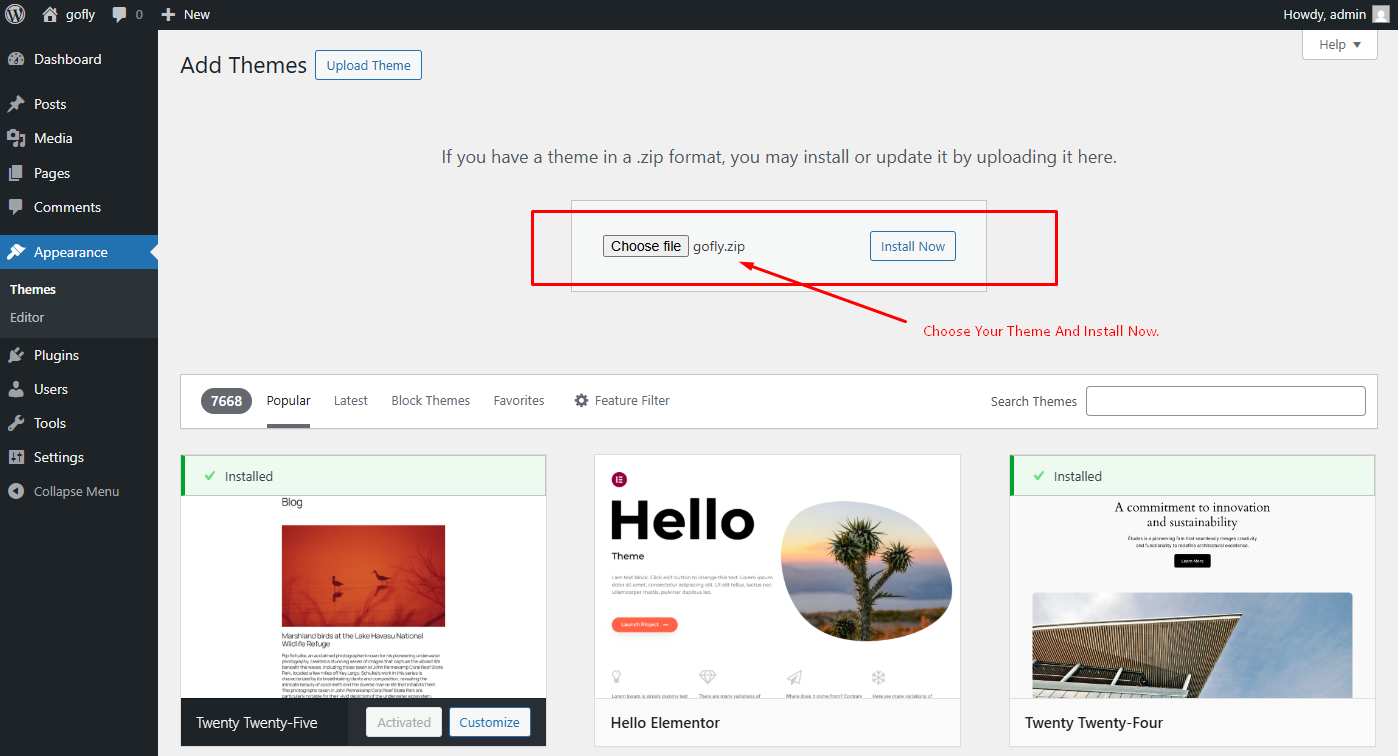
- Login into the WordPress Dashboard and search for Appearance -> Themes.
- Click "Add New" at the top of the page.
- Now click on "Upload Theme".
- Choose the zip file you will find within the whole package you downloaded from Themeforest -> "GoFly.zip"
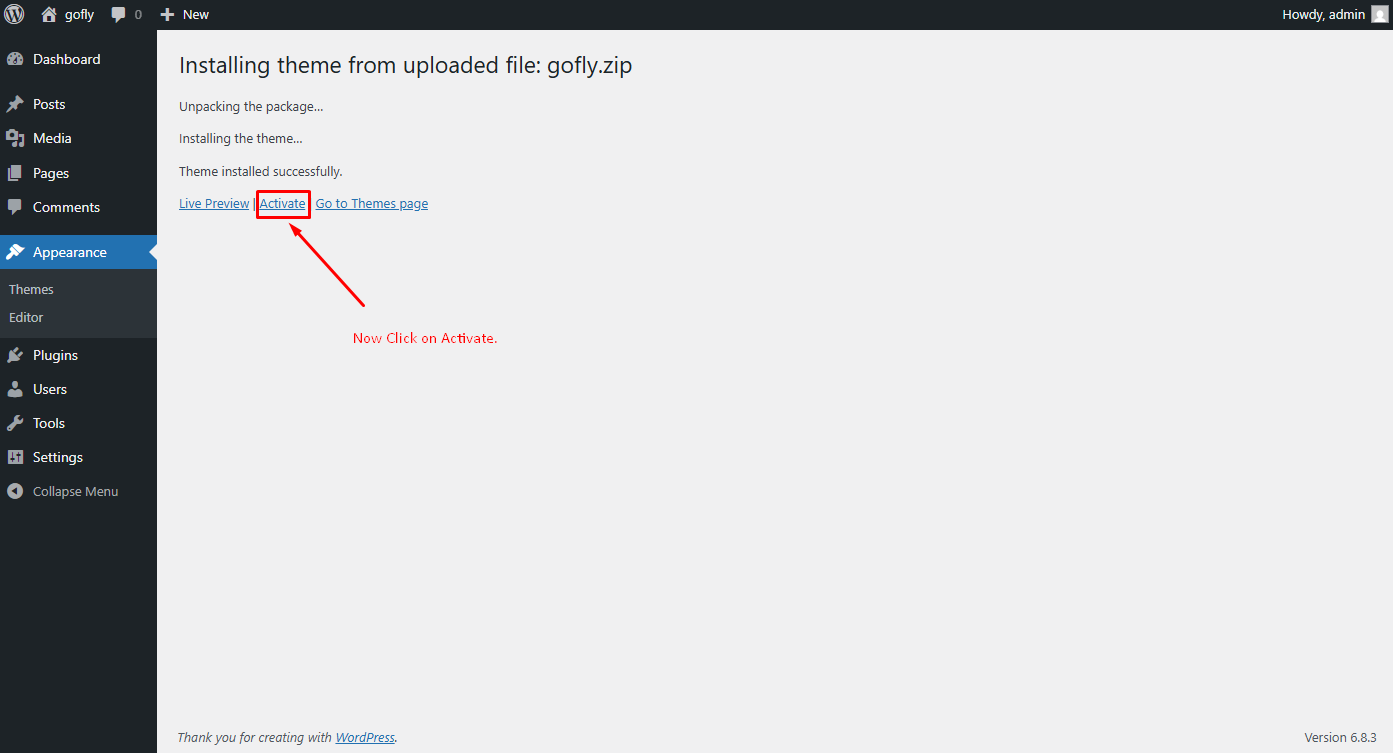
- Once the installation is complete you can Activate the GoFly WordPress Theme
FTP Upload Method
- Using your FTP client, login to your server via FTP and navigate to "wp-content/themes" under your website's root directory.
- Here you must place the main folder you will find within the whole package you downloaded from Themeforest, this folder called "GoFly" ( unzipped version ).
- Once your files are completely uploaded to your server, log into the WordPress Dashboard and go to "Appearance -> Themes" .
- Search the GoFly WordPress Theme Screenshot and click to "Activate".
Theme Installation Tutorial
Screenshot Of whole Process to Install Theme
Choose the zip file what you will find within the whole package you downloaded from Themeforest -> "GoFly.zip"
Now, Click Activate to activate the theme
Plugin Installation
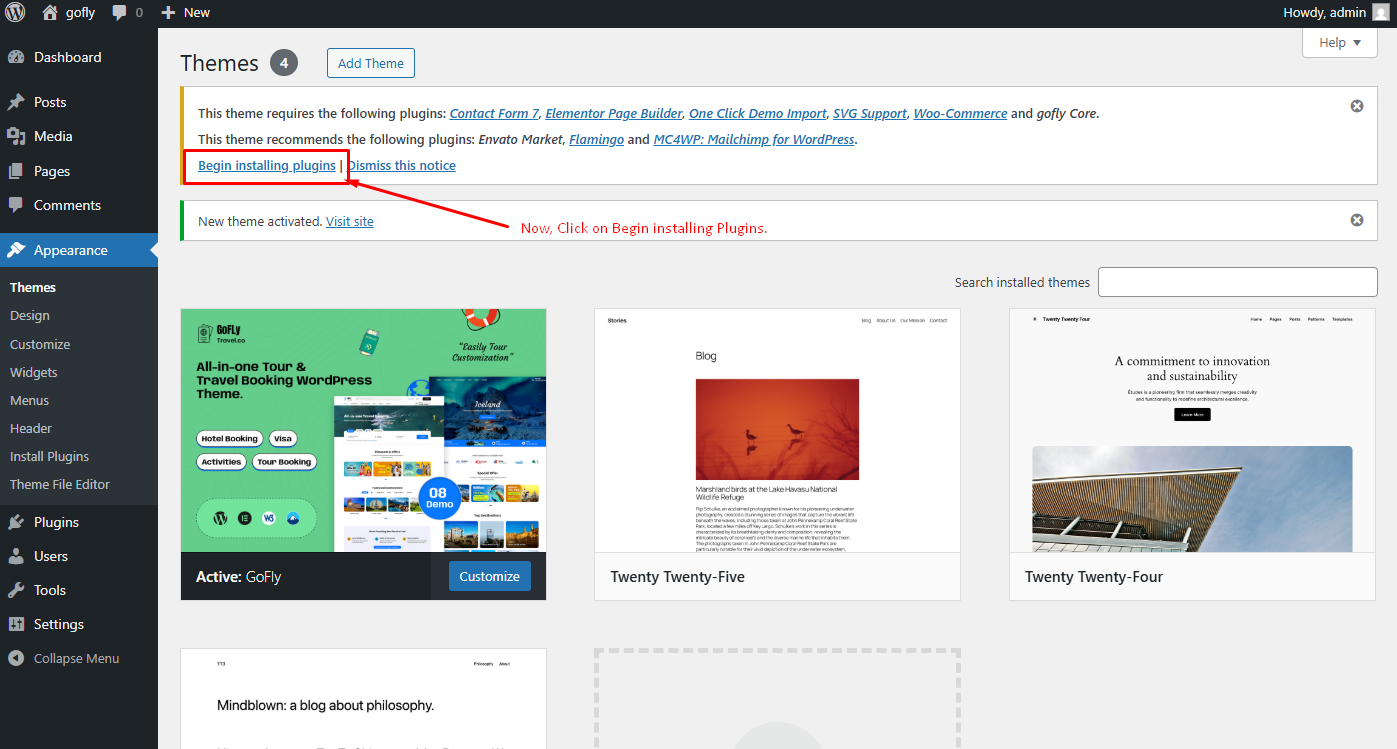
When the theme is uploaded You need to install some recommended plugins.
Click Begin Installing Plugin.
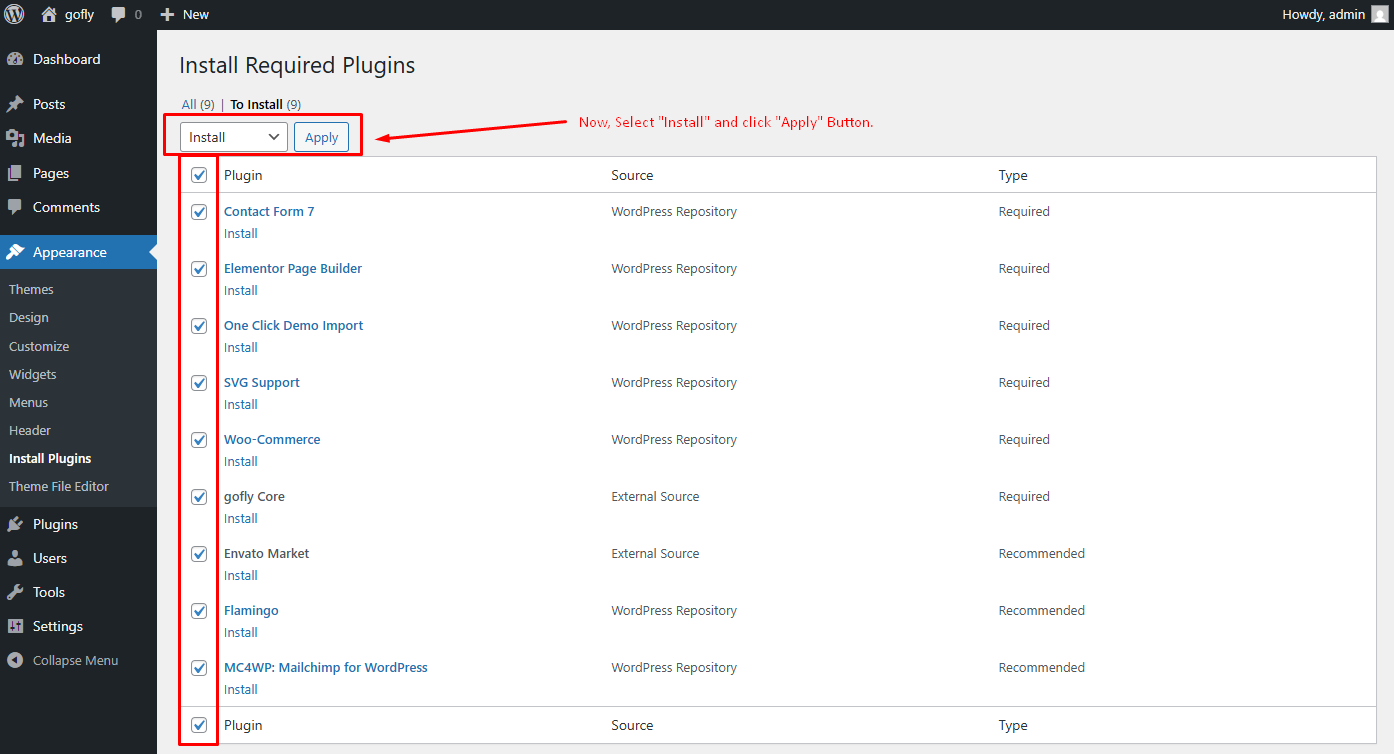
Now, Select all the plugin to install
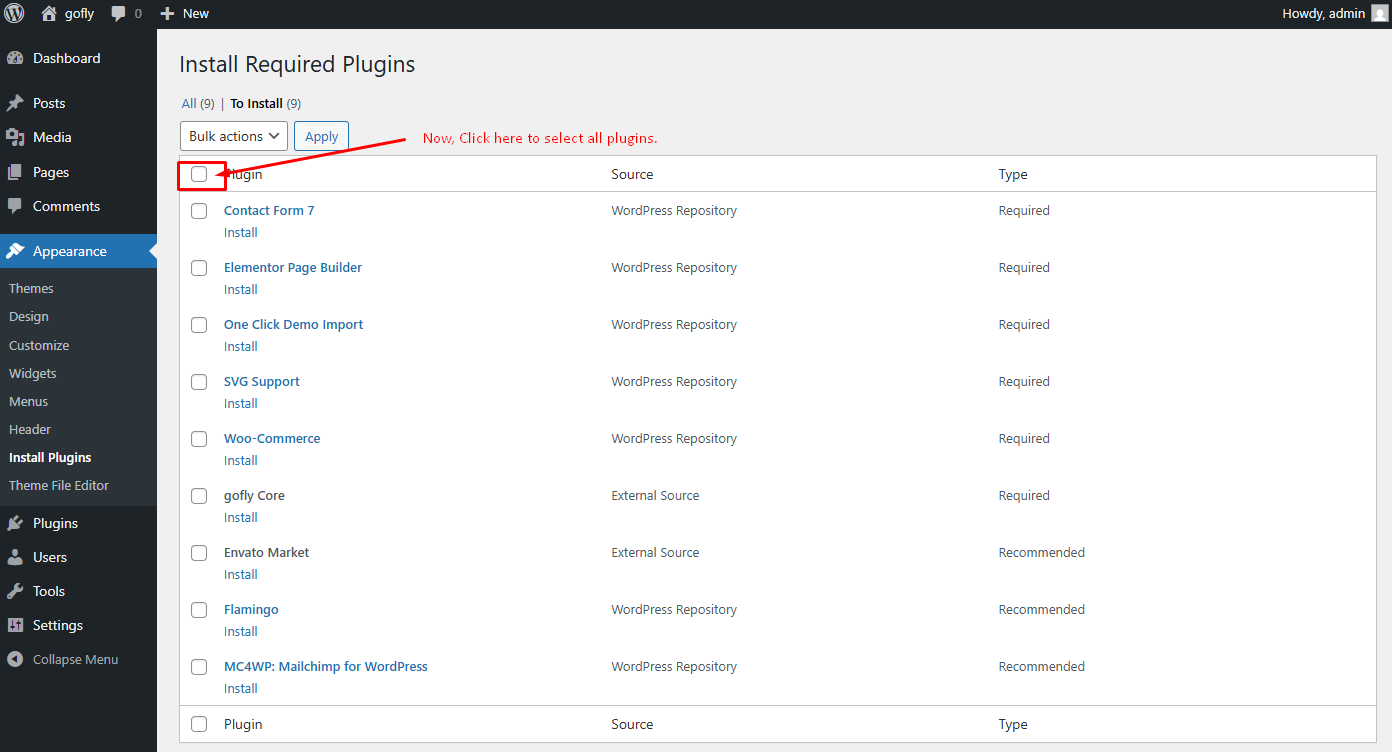
Now, Select Install then Click Apply button
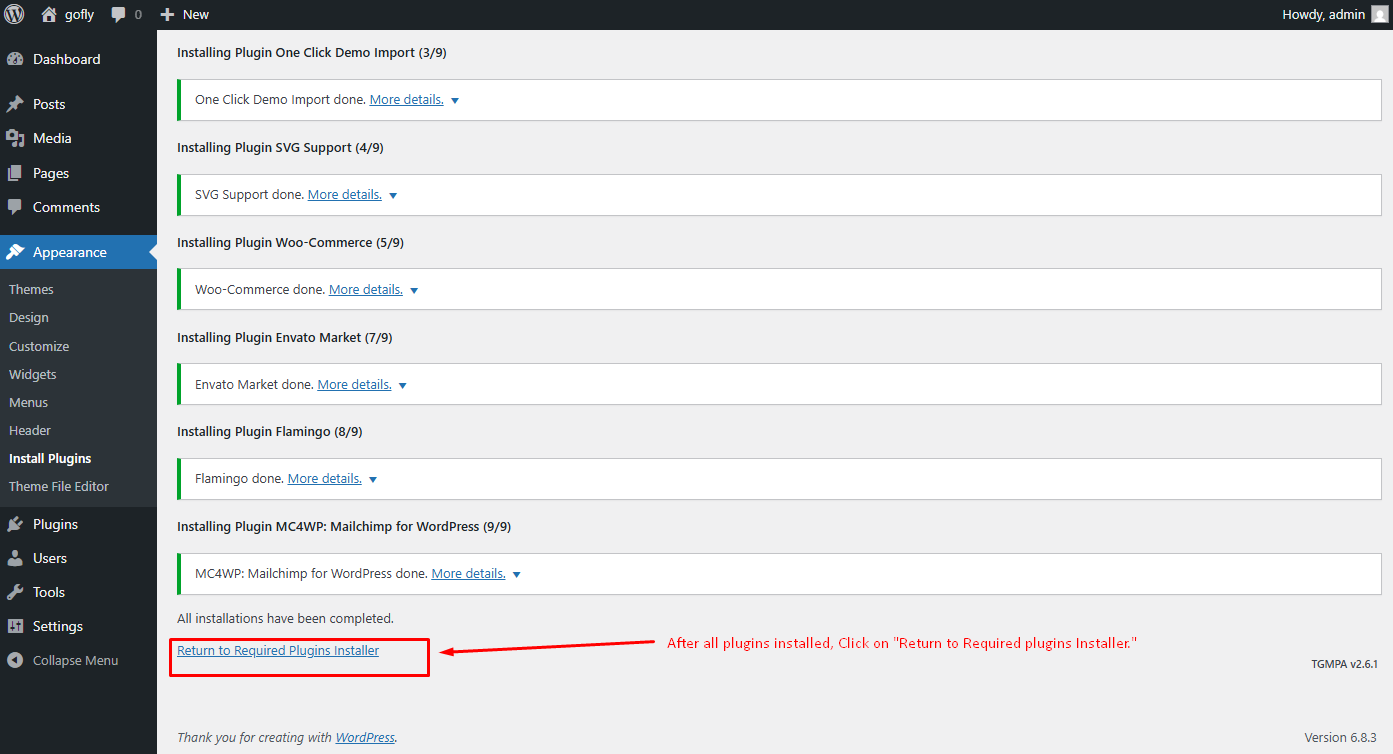
After installing all plugins Click Return to Required Plugins Installer
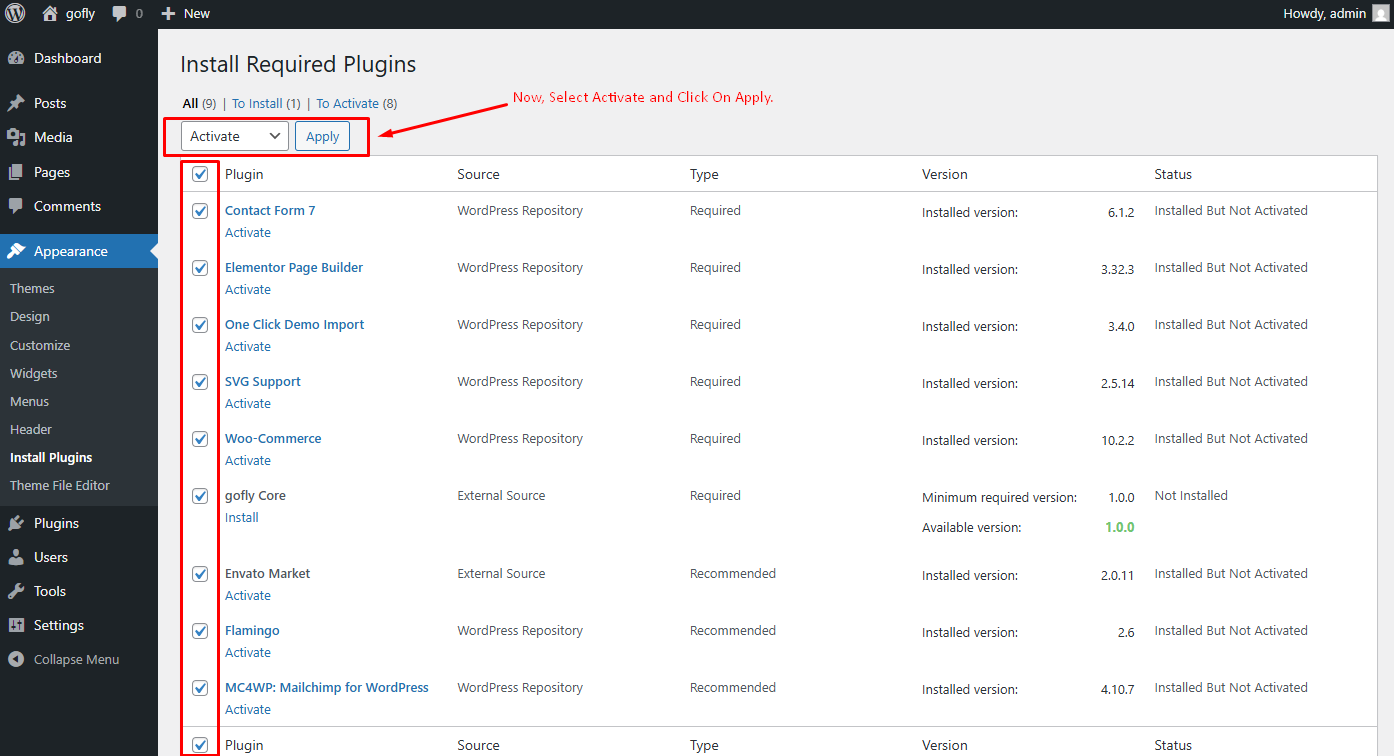
Now, Select Activate then Click Apply for activating all plugins
One Click Demo Import
You can easily import demo data using our one-click demo content importer. View our screenshot to the demo import page.
Set Front Page and Posts Page
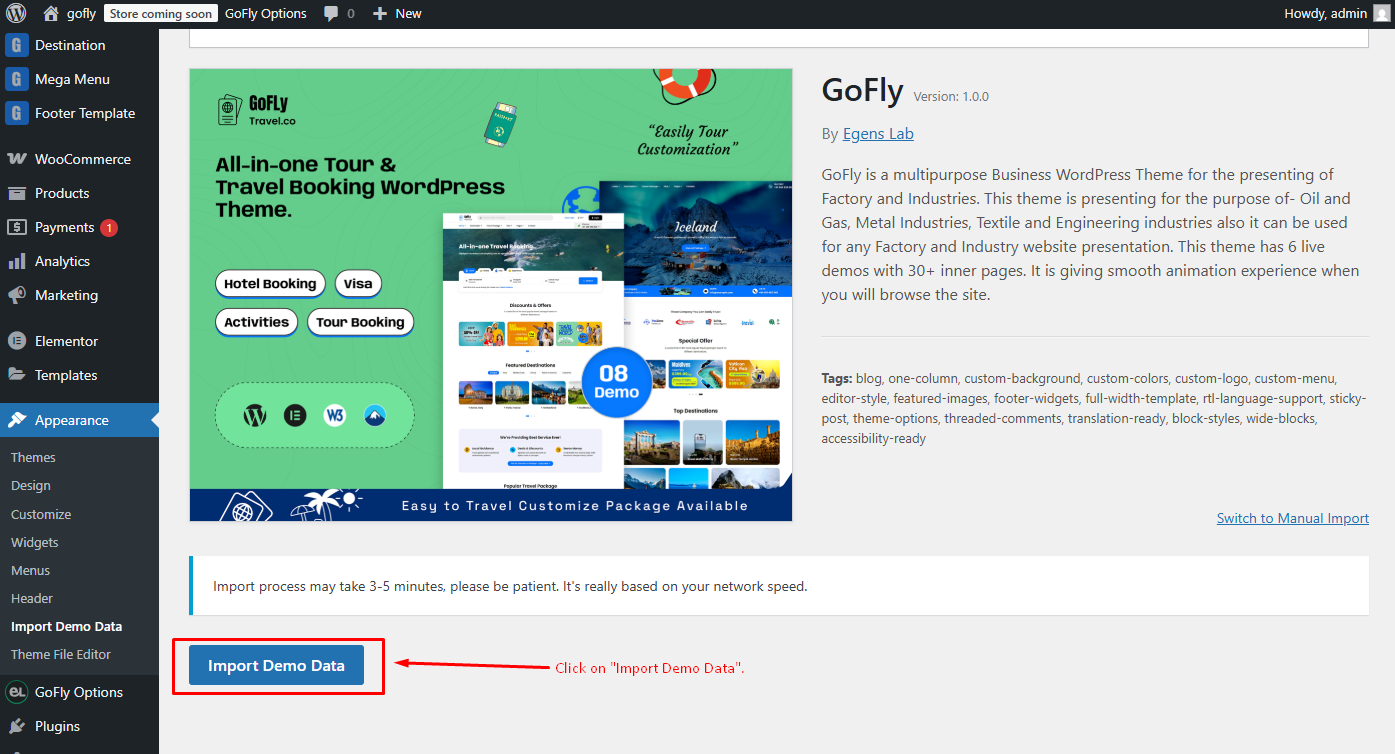
You can easily import demo data using our one-click demo content importer. View our screenshot to import demo data in your WordPress site
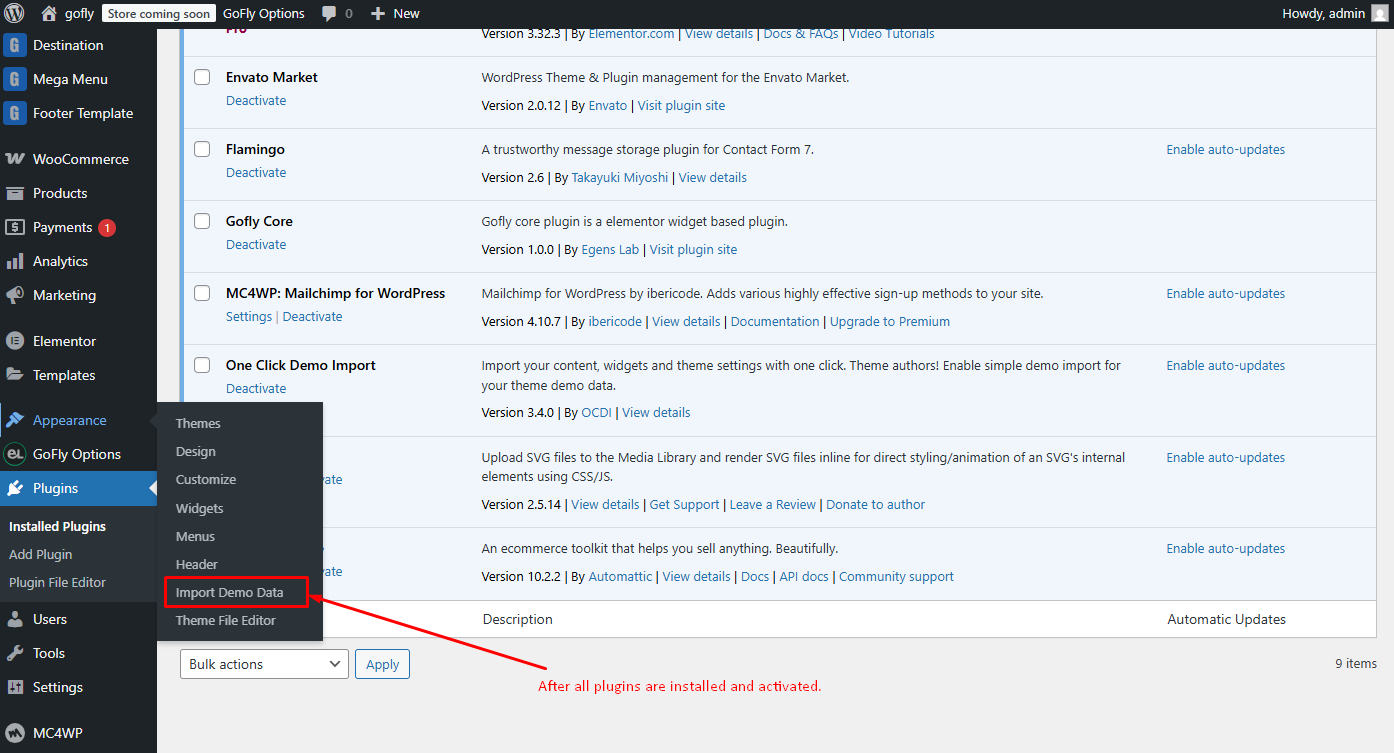
Now Click Import Demo Data
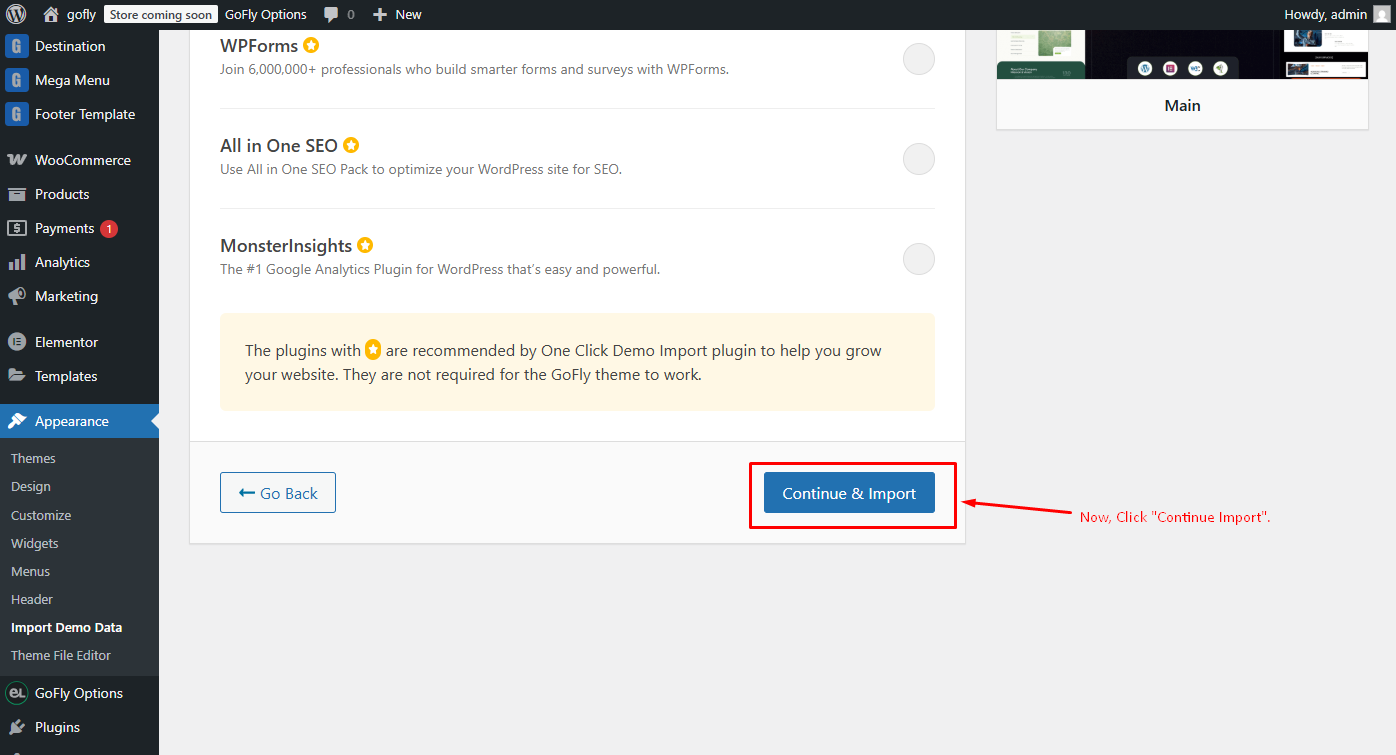
Now, Click Continue & Import
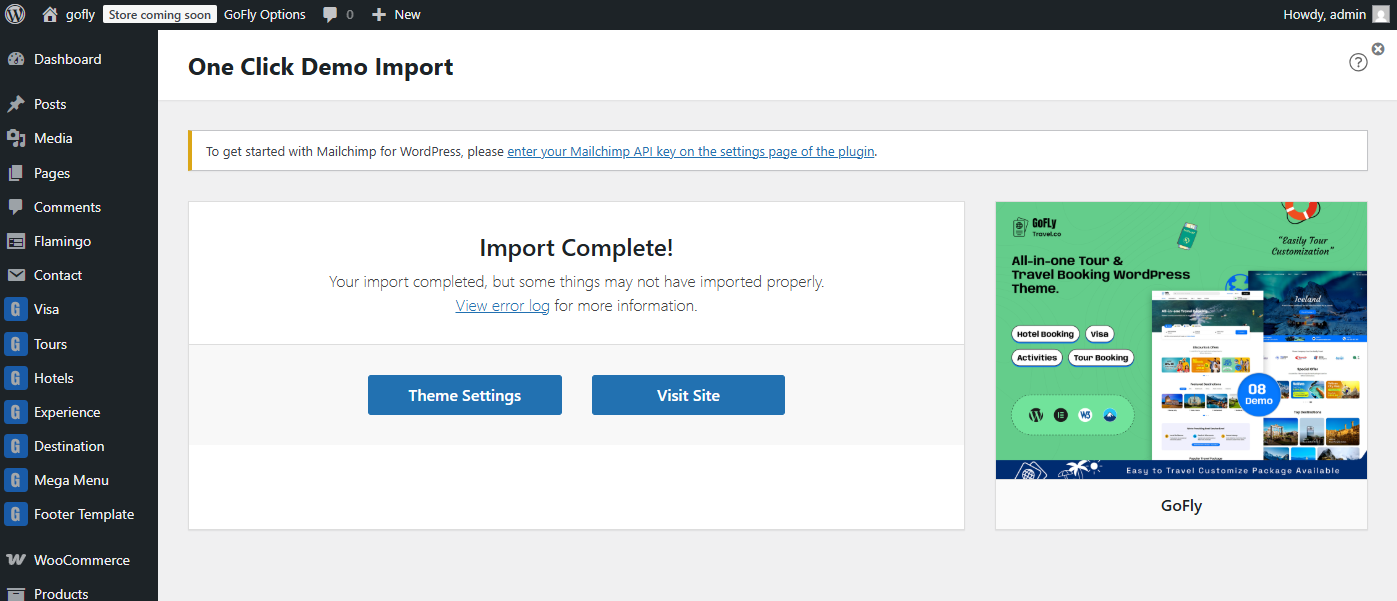
Congrats! Your site is ready..
After import completed successfully, click visit site
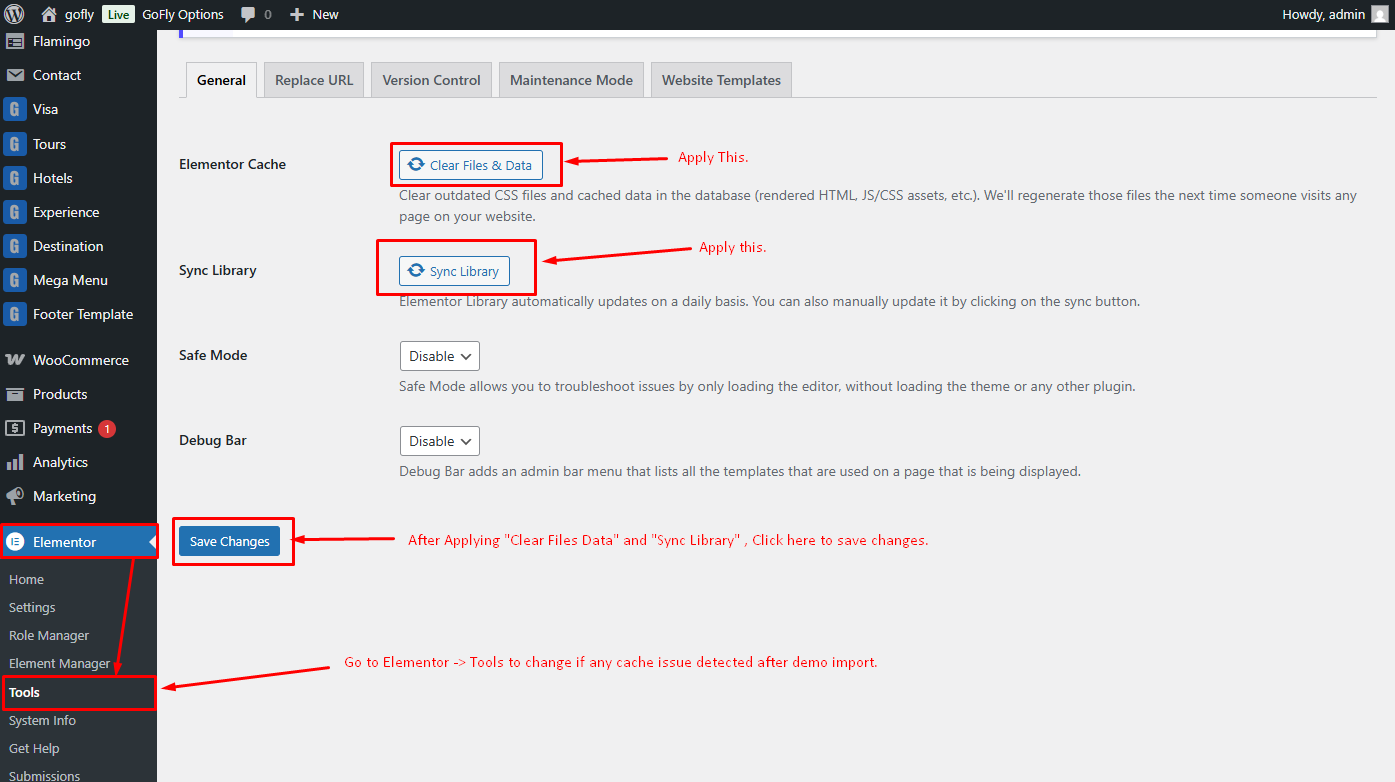
Important Note(Temporary):The PHP v8.4 update for the Elementor plugin may occasionally show a deprecated issue(Elementor is working on fixes with each update).After completing the demo data setup, you might encounter a blank screen. If this happens, don't panic—refer to the image below and follow the instructions to resolve the issue, then visit the website.
Changing Logo & Page Title
You can manage some special Settings from GoFly theme customizer easily. And the other Settings will be found in the theme option panel.
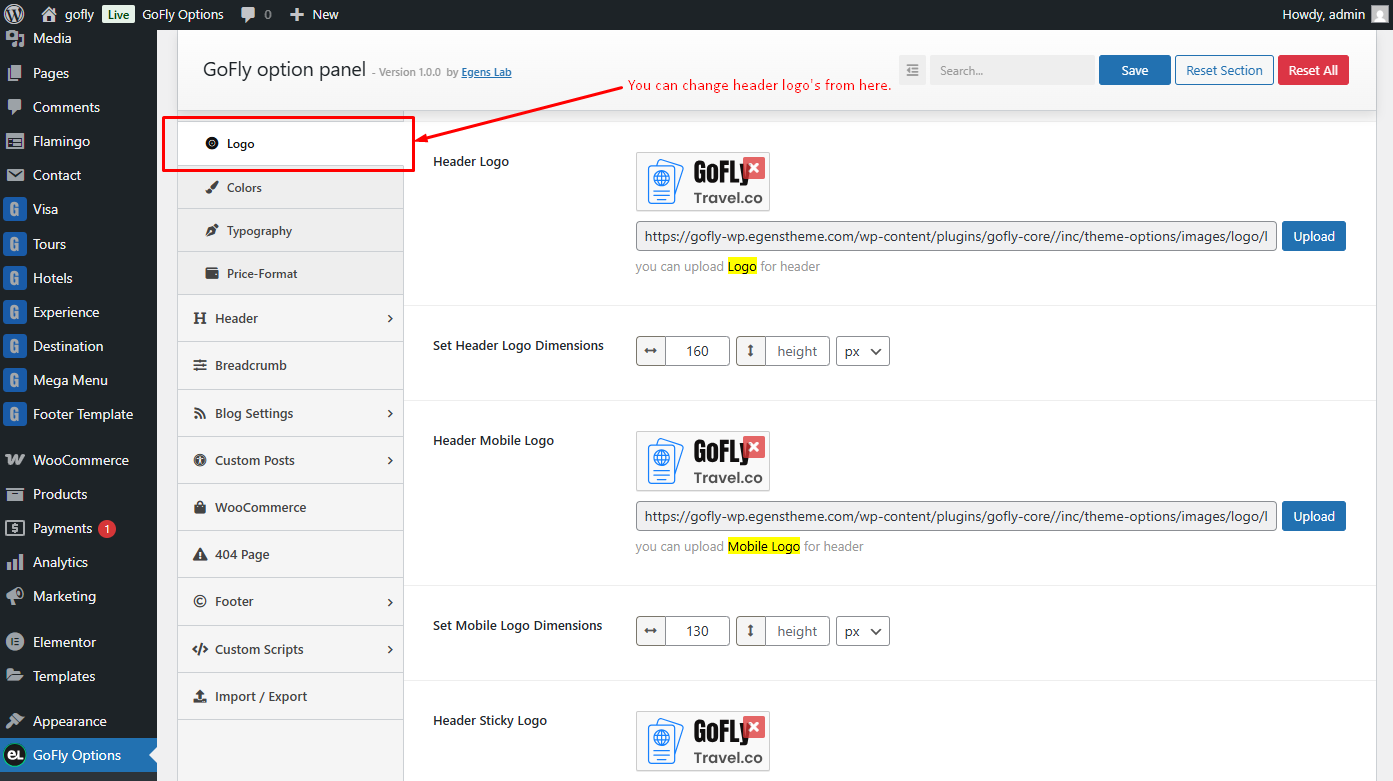
You can change your theme logo from theme options(globally) panel
Note: After changing the global logo in the options panel, some pages may still not show your updated logo. This means that the page has an option to set a separate logo. To fix this, go to the page editor and scroll down. You will see the option to change the logo. Remove the existing logo, update the page, and the global logo from the options panel should now appear. Alternatively, you can manually set a logo specifically for this page.
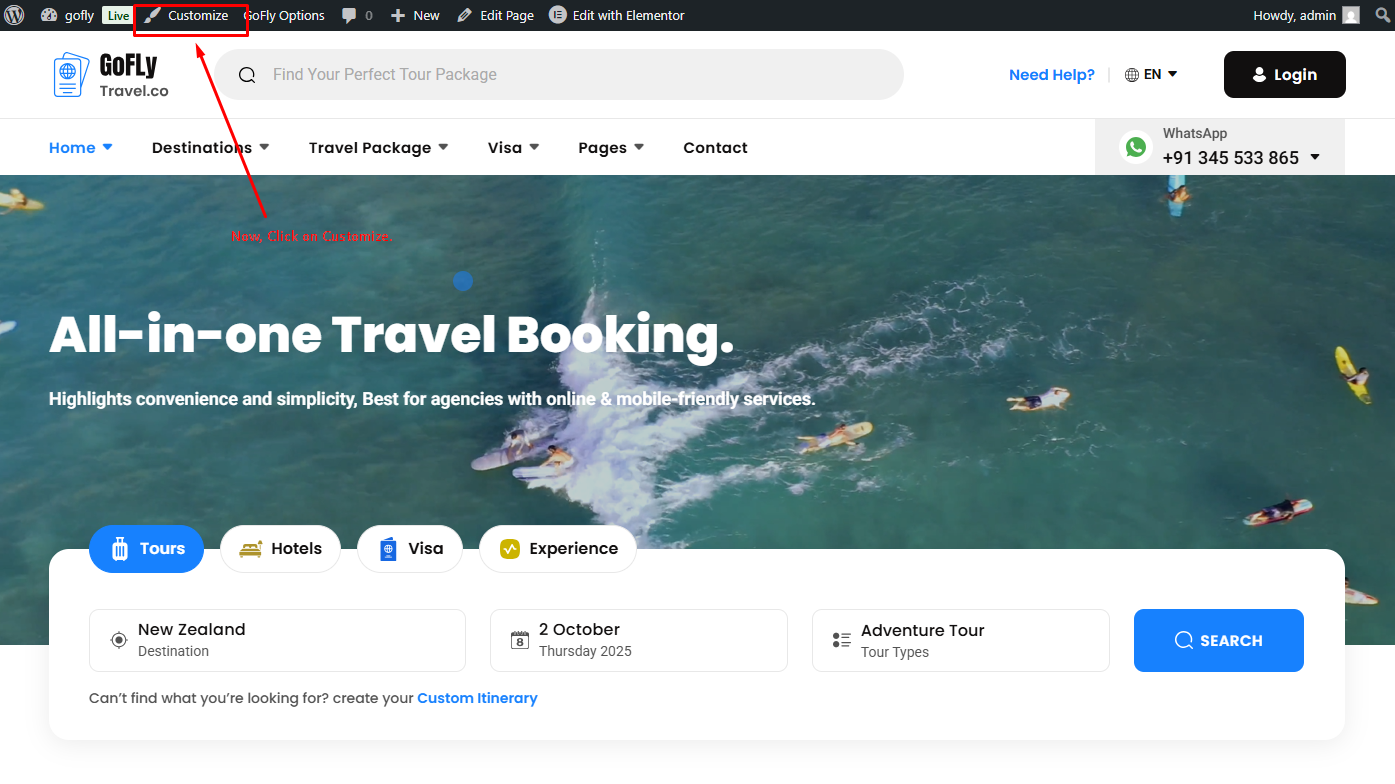
Now, Click on Customize for other options
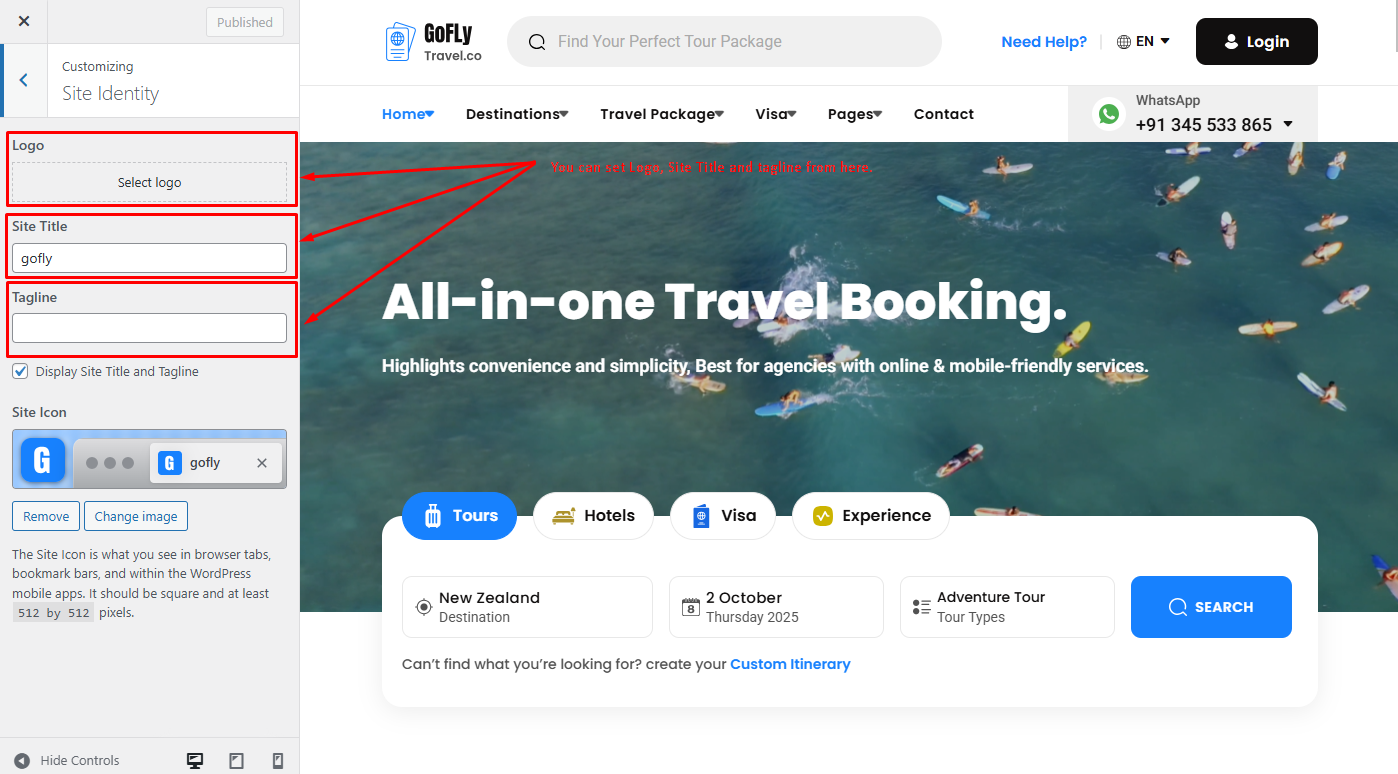
These options are for the theme Site Title, and Tagline. The logo is not included, as it is now only available through the options panel and page settings.
Setting up the Menu
The final step before you can start with the new theme is to create your menu, it will be really easy. If you import our demo data it will automatically make a menu for you and set it a primary location.
Let's make your own menu.
Go to "Appearance -> Menus" and you will see a panel where you can create new menus. Create one, add your created pages to it and save it. After this in "Menu Settings" below the menu select"Header Menu" and hit "Save Menu".
For One Page Menu you need to use custom links option to make one page menu. Put your section ID in the URL field and menu text goes Link Text field. Then hit Add to Menu Button.
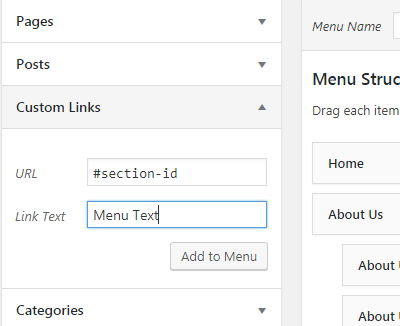
Note: You can use up to two levels of navigation in this theme.
The Customizar
After activating the theme, you will notice that a new submenu item appeared, under "Appearance -> Customize".
If you click on it you will be taken to the WordPress customizer, a tool which will allow you to modify the look and feel of your website.
Unfortunately not all theme options features are present. You can select only the body background color, background image, custom header image, logo & favicon.
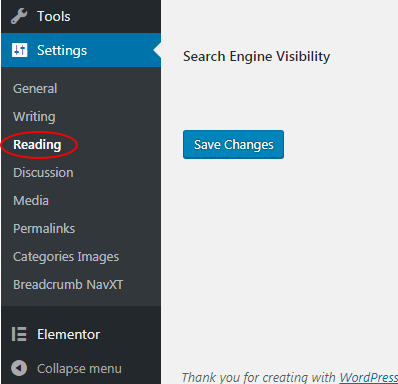
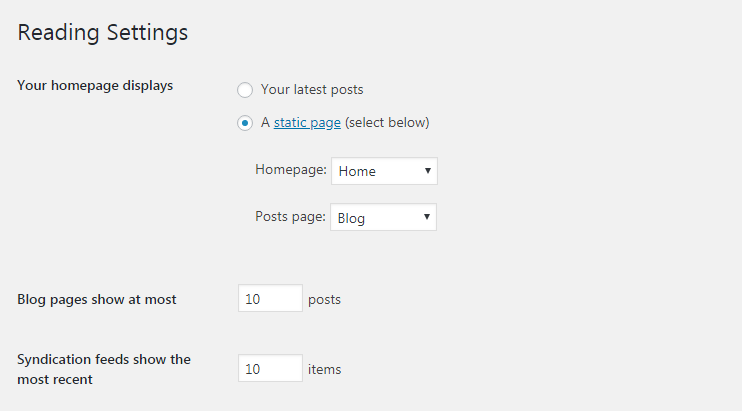
Set Homepage and Blogs
- Login to WordPress admin panel (URL should be
www.yourdomain.com/wp-admin) - Navigate to
"Settings > Reading". - From dropdown, select which page you want to set as
"Front Page"and which page you want as“blog posts”page. Default Front Page is‘Home’and default posts page is‘Blog’.. - Click on ‘Save Changes’ button to save all.
Creating A New Page
Step 1: Navigate the Add New menu under the Pages Navigation.
Step 2: Select your header style and Give it a title.
Step 3: Use Elementor for your page Customization.
Elementor Page Builder
Now you can customize the page with elementor page builder.
Contact Form 7
Contact form 7 is used to create ‘easy to handle’ and ‘easy to customize’ forms. GoFly theme has a pre-built forms. To get all forms, ‘Contact Form 7’ plugin must be installed and activated. You can add/edit/delete the contact form by following this documentation
https://contactform7.com/getting-started-with-contact-form-7/
Contact Page Form
  <div class="row g-4 mb-60">
    <div class="col-md-6">
        <div class="form-inner">
            <label>Full Name</label>
            [text fname placeholder "Wasington Mongla"]
        </div>
    </div>
    <div class="col-md-6">
        <div class="form-inner">
            <label>Email Address</label>
            [email* email-adr placeholder "[email protected]"]
        </div>
    </div>
    <div class="col-md-6">
        <div class="form-inner">
            <label>Phone Number</label>
            [text* phn-number placeholder "+92 567 *** ***"]
        </div>
    </div>
    <div class="col-md-6">
        <div class="form-inner">
            <label>Where are you going?</label>
            [select your-country "Maldives" "France" "United States" "Thailand"]
        </div>
    </div>
    <div class="col-md-12">
        <div class="form-inner">
            <label>Brief/Message</label>
            [textarea brief placeholder] Write somethings about inquiry [/textarea]
        </div>
    </div>
    <div class="col-md-12">
        <div class="form-inner2">
            [checkbox* checkbox-917 class:form-check-input use_label_element "I will agree with yours privacy policy & terms & conditions."]
        </div>
    </div>
</div>
<button type="submit" class="primary-btn1">
    <span>
        Submit Now
        <svg width="10" height="10" viewBox="0 0 10 10" xmlns="http://www.w3.org/2000/svg">
            <path d="M9.73535 1.14746C9.57033 1.97255 9.32924 3.26406 9.24902 4.66797C9.16817 6.08312 9.25559 7.5453 9.70214 8.73633C9.84754 9.12406 9.65129 9.55659 9.26367 9.70215C8.9001 9.83849 8.4969 9.67455 8.32812 9.33398L8.29785 9.26367L8.19921 8.98438C7.73487 7.5758 7.67054 5.98959 7.75097 4.58203C7.77875 4.09598 7.82525 3.62422 7.87988 3.17969L1.53027 9.53027C1.23738 9.82317 0.762615 9.82317 0.469722 9.53027C0.176829 9.23738 0.176829 8.76262 0.469722 8.46973L6.83593 2.10254C6.3319 2.16472 5.79596 2.21841 5.25 2.24902C3.8302 2.32862 2.2474 2.26906 0.958003 1.79102L0.704097 1.68945L0.635738 1.65527C0.303274 1.47099 0.157578 1.06102 0.310542 0.704102C0.463655 0.347333 0.860941 0.170391 1.22363 0.28418L1.29589 0.310547L1.48828 0.387695C2.47399 0.751207 3.79966 0.827571 5.16601 0.750977C6.60111 0.670504 7.97842 0.428235 8.86132 0.262695L9.95312 0.0585938L9.73535 1.14746Z"></path>
        </svg>
    </span>
    <span>
        Submit Now
        <svg width="10" height="10" viewBox="0 0 10 10" xmlns="http://www.w3.org/2000/svg">
            <path d="M9.73535 1.14746C9.57033 1.97255 9.32924 3.26406 9.24902 4.66797C9.16817 6.08312 9.25559 7.5453 9.70214 8.73633C9.84754 9.12406 9.65129 9.55659 9.26367 9.70215C8.9001 9.83849 8.4969 9.67455 8.32812 9.33398L8.29785 9.26367L8.19921 8.98438C7.73487 7.5758 7.67054 5.98959 7.75097 4.58203C7.77875 4.09598 7.82525 3.62422 7.87988 3.17969L1.53027 9.53027C1.23738 9.82317 0.762615 9.82317 0.469722 9.53027C0.176829 9.23738 0.176829 8.76262 0.469722 8.46973L6.83593 2.10254C6.3319 2.16472 5.79596 2.21841 5.25 2.24902C3.8302 2.32862 2.2474 2.26906 0.958003 1.79102L0.704097 1.68945L0.635738 1.65527C0.303274 1.47099 0.157578 1.06102 0.310542 0.704102C0.463655 0.347333 0.860941 0.170391 1.22363 0.28418L1.29589 0.310547L1.48828 0.387695C2.47399 0.751207 3.79966 0.827571 5.16601 0.750977C6.60111 0.670504 7.97842 0.428235 8.86132 0.262695L9.95312 0.0585938L9.73535 1.14746Z"></path>
        </svg>
    </span>
</button>
Newsletter Form One
<div class="newsletter-form">
    [email* email-989 placeholder "Type Your Email Address"]
    <button type="submit">
        <svg width="18" height="18" viewBox="0 0 18 18" xmlns="http://www.w3.org/2000/svg">
            <path d="M17.9597 0.771505C18.0006 0.669287 18.0107 0.557308 17.9885 0.449451C17.9664 0.341594 17.9131 0.242601 17.8353 0.164747C17.7574 0.0868923 17.6584 0.033599 17.5506 0.0114739C17.4427 -0.0106512 17.3307 -0.000635146 17.2285 0.0402804L0.863689 6.58643H0.862564L0.354081 6.78892C0.257774 6.82734 0.173959 6.89163 0.111895 6.97469C0.0498308 7.05775 0.0119333 7.15635 0.00238854 7.25959C-0.00715624 7.36284 0.0120231 7.46671 0.0578081 7.55974C0.103593 7.65278 0.174202 7.73134 0.261834 7.78676L0.723068 8.07925L0.724193 8.0815L6.34337 11.6566L9.9185 17.2758L9.92075 17.2781L10.2132 17.7393C10.2688 17.8266 10.3474 17.8968 10.4404 17.9423C10.5334 17.9878 10.6371 18.0068 10.7401 17.9972C10.8432 17.9875 10.9416 17.9496 11.0245 17.8876C11.1073 17.8257 11.1715 17.742 11.21 17.6459L17.9597 0.771505ZM15.8977 2.89768L7.46721 11.3281L7.22534 10.9479C7.18103 10.8781 7.12188 10.819 7.0521 10.7747L6.67186 10.5328L15.1023 2.10233L16.4275 1.57248L15.8988 2.89768H15.8977Z"></path>
        </svg>
    </button>
</div>
Newsletter Form Two
            <div class="newsletter-form">
    [email* email-804 placeholder "Type Your Email Address"]
    <button type="submit">
        <svg width="18" height="18" viewBox="0 0 18 18" xmlns="http://www.w3.org/2000/svg">
            <path d="M17.9597 0.771505C18.0006 0.669287 18.0107 0.557308 17.9885 0.449451C17.9664 0.341594 17.9131 0.242601 17.8353 0.164747C17.7574 0.0868923 17.6584 0.033599 17.5506 0.0114739C17.4427 -0.0106512 17.3307 -0.000635146 17.2285 0.0402804L0.863689 6.58643H0.862564L0.354081 6.78892C0.257774 6.82734 0.173959 6.89163 0.111895 6.97469C0.0498308 7.05775 0.0119333 7.15635 0.00238854 7.25959C-0.00715624 7.36284 0.0120231 7.46671 0.0578081 7.55974C0.103593 7.65278 0.174202 7.73134 0.261834 7.78676L0.723068 8.07925L0.724193 8.0815L6.34337 11.6566L9.9185 17.2758L9.92075 17.2781L10.2132 17.7393C10.2688 17.8266 10.3474 17.8968 10.4404 17.9423C10.5334 17.9878 10.6371 18.0068 10.7401 17.9972C10.8432 17.9875 10.9416 17.9496 11.0245 17.8876C11.1073 17.8257 11.1715 17.742 11.21 17.6459L17.9597 0.771505ZM15.8977 2.89768L7.46721 11.3281L7.22534 10.9479C7.18103 10.8781 7.12188 10.819 7.0521 10.7747L6.67186 10.5328L15.1023 2.10233L16.4275 1.57248L15.8988 2.89768H15.8977Z"></path>
        </svg>
    </button>
</div>
Newsletter Form Three
  <div class="newsletter-form">
   [email* email-960 placeholder "Type Your Email Address"]
    <button type="submit">
        <svg width="18" height="18" viewBox="0 0 18 18" xmlns="http://www.w3.org/2000/svg">
            <path d="M17.9597 0.771505C18.0006 0.669287 18.0107 0.557308 17.9885 0.449451C17.9664 0.341594 17.9131 0.242601 17.8353 0.164747C17.7574 0.0868923 17.6584 0.033599 17.5506 0.0114739C17.4427 -0.0106512 17.3307 -0.000635146 17.2285 0.0402804L0.863689 6.58643H0.862564L0.354081 6.78892C0.257774 6.82734 0.173959 6.89163 0.111895 6.97469C0.0498308 7.05775 0.0119333 7.15635 0.00238854 7.25959C-0.00715624 7.36284 0.0120231 7.46671 0.0578081 7.55974C0.103593 7.65278 0.174202 7.73134 0.261834 7.78676L0.723068 8.07925L0.724193 8.0815L6.34337 11.6566L9.9185 17.2758L9.92075 17.2781L10.2132 17.7393C10.2688 17.8266 10.3474 17.8968 10.4404 17.9423C10.5334 17.9878 10.6371 18.0068 10.7401 17.9972C10.8432 17.9875 10.9416 17.9496 11.0245 17.8876C11.1073 17.8257 11.1715 17.742 11.21 17.6459L17.9597 0.771505ZM15.8977 2.89768L7.46721 11.3281L7.22534 10.9479C7.18103 10.8781 7.12188 10.819 7.0521 10.7747L6.67186 10.5328L15.1023 2.10233L16.4275 1.57248L15.8988 2.89768H15.8977Z"></path>
        </svg>
    </button>
</div>
Package Inquiry
 <div class="enquiry-form-wrapper">
    <div class="row g-4 mb-50">
        <div class="col-md-6">
            <div class="form-inner">
                <label>Full Name</label>
                [text* fname placeholder "Your Name"]
            </div>
        </div>
        <div class="col-md-6">
            <div class="form-inner">
                <label>Email Address</label>
                [email* email-adr placeholder "Email Address"]
            </div>
        </div>
        <div class="col-md-6">
            <div class="form-inner">
                <label>Number of People*</label>
                [text* num-people placeholder "Number of people"]
            </div>
        </div>
        <div class="col-md-6">
            <div class="form-inner">
                <label>Travel Date</label>
                <div class="date-field-area">
                    [date travel-date "2025-09-03"]
                </div>
            </div>
        </div>
        <div class="col-lg-12">
            <div class="form-inner">
                <label>Tour Details</label>
                [textarea tour-details placeholder] Write about tour info [/textarea]
            </div>
        </div>
        <div class="col-md-12">
            <div class="form-inner2">
                [checkbox* checkbox-73 class:form-check-input use_label_element "Save my email address & name when I comment further time."]
            </div>
        </div>
    </div>
    <div class="form-inner">
        <button type="submit" class="primary-btn1 black-bg">
            <span>
                Submit For Enquiry
                <svg width="10" height="10" viewBox="0 0 10 10" xmlns="http://www.w3.org/2000/svg">
                    <path
                        d="M9.73535 1.14746C9.57033 1.97255 9.32924 3.26406 9.24902 4.66797C9.16817 6.08312 9.25559 7.5453 9.70214 8.73633C9.84754 9.12406 9.65129 9.55659 9.26367 9.70215C8.9001 9.83849 8.4969 9.67455 8.32812 9.33398L8.29785 9.26367L8.19921 8.98438C7.73487 7.5758 7.67054 5.98959 7.75097 4.58203C7.77875 4.09598 7.82525 3.62422 7.87988 3.17969L1.53027 9.53027C1.23738 9.82317 0.762615 9.82317 0.469722 9.53027C0.176829 9.23738 0.176829 8.76262 0.469722 8.46973L6.83593 2.10254C6.3319 2.16472 5.79596 2.21841 5.25 2.24902C3.8302 2.32862 2.2474 2.26906 0.958003 1.79102L0.704097 1.68945L0.635738 1.65527C0.303274 1.47099 0.157578 1.06102 0.310542 0.704102C0.463655 0.347333 0.860941 0.170391 1.22363 0.28418L1.29589 0.310547L1.48828 0.387695C2.47399 0.751207 3.79966 0.827571 5.16601 0.750977C6.60111 0.670504 7.97842 0.428235 8.86132 0.262695L9.95312 0.0585938L9.73535 1.14746Z">
                    </path>
                </svg>
            </span>
            <span>
                Submit For Enquiry
                <svg width="10" height="10" viewBox="0 0 10 10" xmlns="http://www.w3.org/2000/svg">
                    <path
                        d="M9.73535 1.14746C9.57033 1.97255 9.32924 3.26406 9.24902 4.66797C9.16817 6.08312 9.25559 7.5453 9.70214 8.73633C9.84754 9.12406 9.65129 9.55659 9.26367 9.70215C8.9001 9.83849 8.4969 9.67455 8.32812 9.33398L8.29785 9.26367L8.19921 8.98438C7.73487 7.5758 7.67054 5.98959 7.75097 4.58203C7.77875 4.09598 7.82525 3.62422 7.87988 3.17969L1.53027 9.53027C1.23738 9.82317 0.762615 9.82317 0.469722 9.53027C0.176829 9.23738 0.176829 8.76262 0.469722 8.46973L6.83593 2.10254C6.3319 2.16472 5.79596 2.21841 5.25 2.24902C3.8302 2.32862 2.2474 2.26906 0.958003 1.79102L0.704097 1.68945L0.635738 1.65527C0.303274 1.47099 0.157578 1.06102 0.310542 0.704102C0.463655 0.347333 0.860941 0.170391 1.22363 0.28418L1.29589 0.310547L1.48828 0.387695C2.47399 0.751207 3.79966 0.827571 5.16601 0.750977C6.60111 0.670504 7.97842 0.428235 8.86132 0.262695L9.95312 0.0585938L9.73535 1.14746Z">
                    </path>
                </svg>
            </span>
        </button>
    </div>
</div>
Visa Application Form
 <div class="visa-form-wrapper">
    <div class="row g-4 mb-50">
        <div class="col-md-6">
            <div class="form-inner">
                <label>Your Name</label>
                [text* your-name placeholder "Enter Your Name"]
            </div>
        </div>
        <div class="col-md-6">
            <div class="form-inner">
                <label>Date of Birth</label>
                <div class="date-field-area">
                    [date* date-birth]
                </div>
            </div>
        </div>
        <div class="col-md-6">
            <div class="form-inner">
                <label>Phone Number</label>
                [text* phn-number placeholder "Enter Your Number"]
            </div>
        </div>
        <div class="col-md-6">
            <div class="form-inner">
                <label>Email Address</label>
                [email* email-790 placeholder "Email Address"]
            </div>
        </div>
        <div class="col-md-6">
            <div class="form-inner">
                <label>Your Age</label>
                [text* age placeholder "Enter Your Age"]
            </div>
        </div>
        <div class="col-md-6">
            <div class="form-inner">
                <label>Visa Criteria</label>
                [text* visa-criteria placeholder "Mention Visa Type"]
            </div>
        </div>
        <div class="col-lg-12">
            <div class="form-inner">
                <label>Attached Documents</label>
                <div class="image-drop-area">
                  [file* file-628 filetypes:image/*|txt|application/pdf limit:5mb]
                </div>
            </div>
        </div>
        <div class="col-lg-12">
            <div class="form-inner">
                <label>Short Notes</label>
                [textarea short-note placeholder] Type your short feedback… [/textarea]
            </div>
        </div>
    </div>
    <div class="form-inner">
        <button type="submit" class="primary-btn1 black-bg">
            <span>
                Submit Now
                <svg width="10" height="10" viewBox="0 0 10 10" xmlns="http://www.w3.org/2000/svg">
                    <path d="M9.73535 1.14746C9.57033 1.97255 9.32924 3.26406 9.24902 4.66797C9.16817 6.08312 9.25559 7.5453 9.70214 8.73633C9.84754 9.12406 9.65129 9.55659 9.26367 9.70215C8.9001 9.83849 8.4969 9.67455 8.32812 9.33398L8.29785 9.26367L8.19921 8.98438C7.73487 7.5758 7.67054 5.98959 7.75097 4.58203C7.77875 4.09598 7.82525 3.62422 7.87988 3.17969L1.53027 9.53027C1.23738 9.82317 0.762615 9.82317 0.469722 9.53027C0.176829 9.23738 0.176829 8.76262 0.469722 8.46973L6.83593 2.10254C6.3319 2.16472 5.79596 2.21841 5.25 2.24902C3.8302 2.32862 2.2474 2.26906 0.958003 1.79102L0.704097 1.68945L0.635738 1.65527C0.303274 1.47099 0.157578 1.06102 0.310542 0.704102C0.463655 0.347333 0.860941 0.170391 1.22363 0.28418L1.29589 0.310547L1.48828 0.387695C2.47399 0.751207 3.79966 0.827571 5.16601 0.750977C6.60111 0.670504 7.97842 0.428235 8.86132 0.262695L9.95312 0.0585938L9.73535 1.14746Z"></path>
                </svg>
            </span>
            <span>
                Submit Now
                <svg width="10" height="10" viewBox="0 0 10 10" xmlns="http://www.w3.org/2000/svg">
                    <path d="M9.73535 1.14746C9.57033 1.97255 9.32924 3.26406 9.24902 4.66797C9.16817 6.08312 9.25559 7.5453 9.70214 8.73633C9.84754 9.12406 9.65129 9.55659 9.26367 9.70215C8.9001 9.83849 8.4969 9.67455 8.32812 9.33398L8.29785 9.26367L8.19921 8.98438C7.73487 7.5758 7.67054 5.98959 7.75097 4.58203C7.77875 4.09598 7.82525 3.62422 7.87988 3.17969L1.53027 9.53027C1.23738 9.82317 0.762615 9.82317 0.469722 9.53027C0.176829 9.23738 0.176829 8.76262 0.469722 8.46973L6.83593 2.10254C6.3319 2.16472 5.79596 2.21841 5.25 2.24902C3.8302 2.32862 2.2474 2.26906 0.958003 1.79102L0.704097 1.68945L0.635738 1.65527C0.303274 1.47099 0.157578 1.06102 0.310542 0.704102C0.463655 0.347333 0.860941 0.170391 1.22363 0.28418L1.29589 0.310547L1.48828 0.387695C2.47399 0.751207 3.79966 0.827571 5.16601 0.750977C6.60111 0.670504 7.97842 0.428235 8.86132 0.262695L9.95312 0.0585938L9.73535 1.14746Z"></path>
                </svg>
            </span>
        </button>
    </div>
</div>
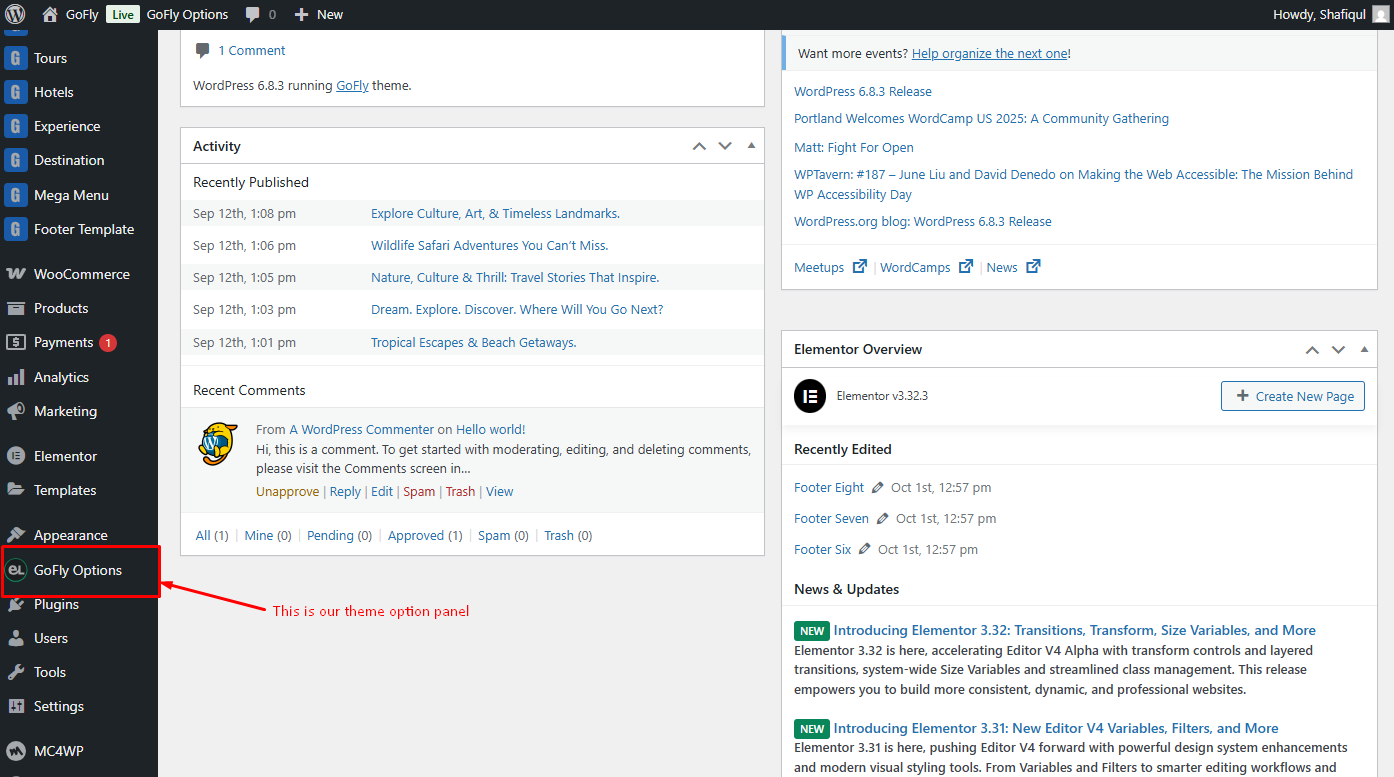
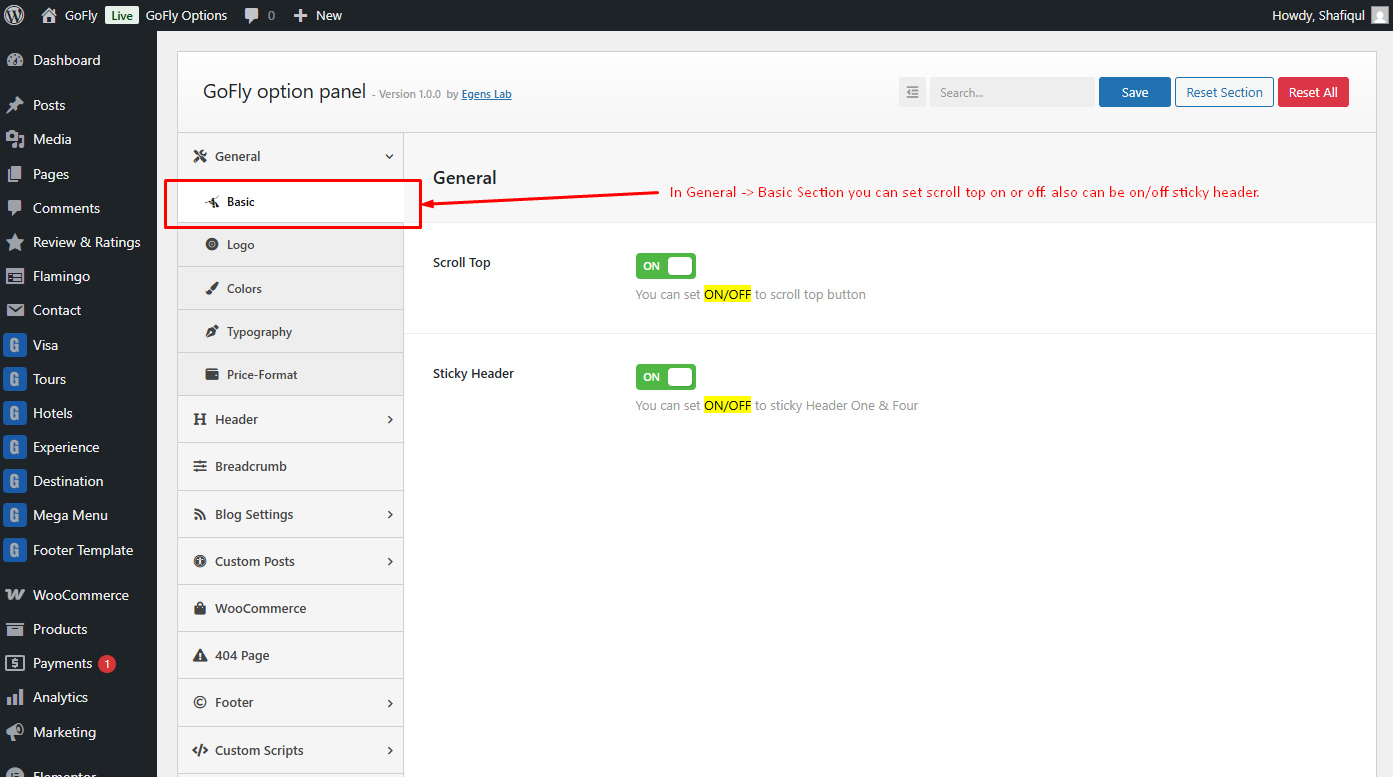
Theme Options Panel
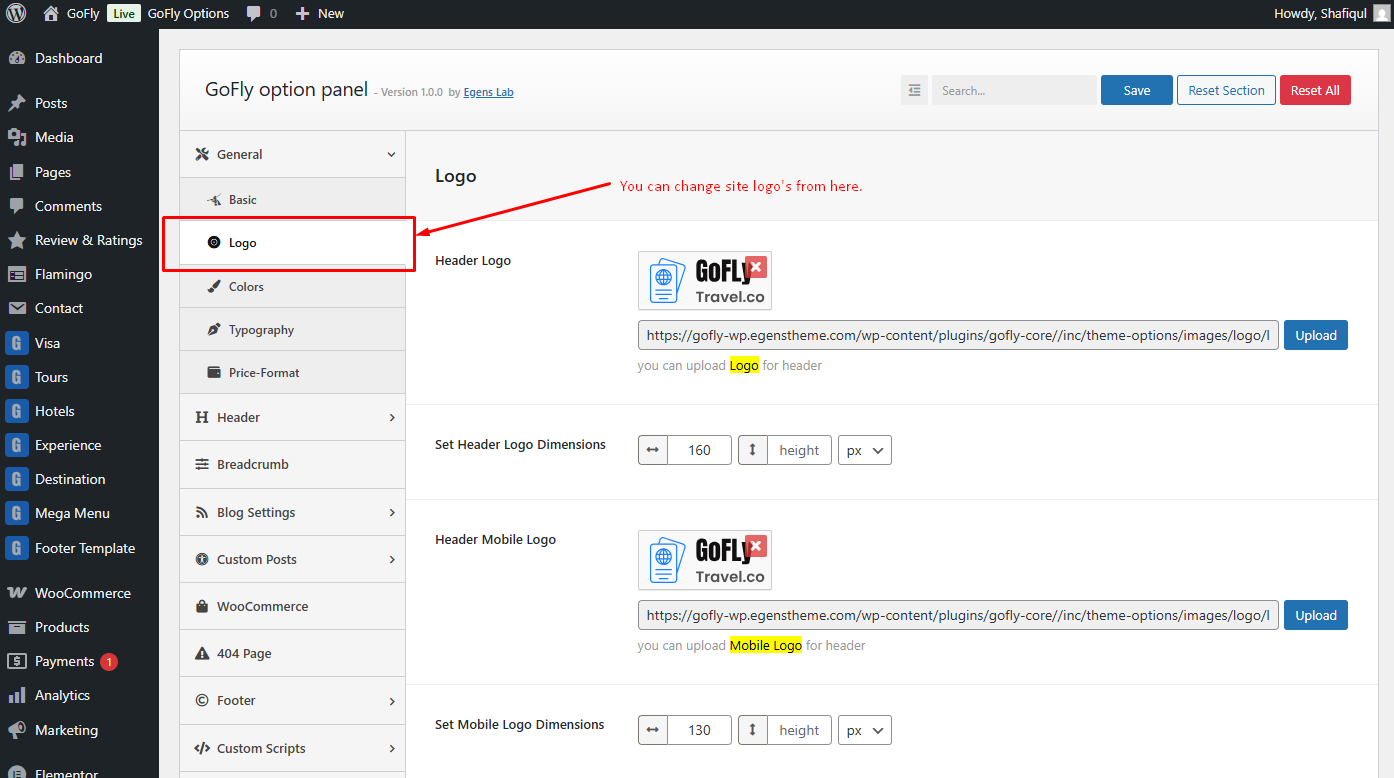
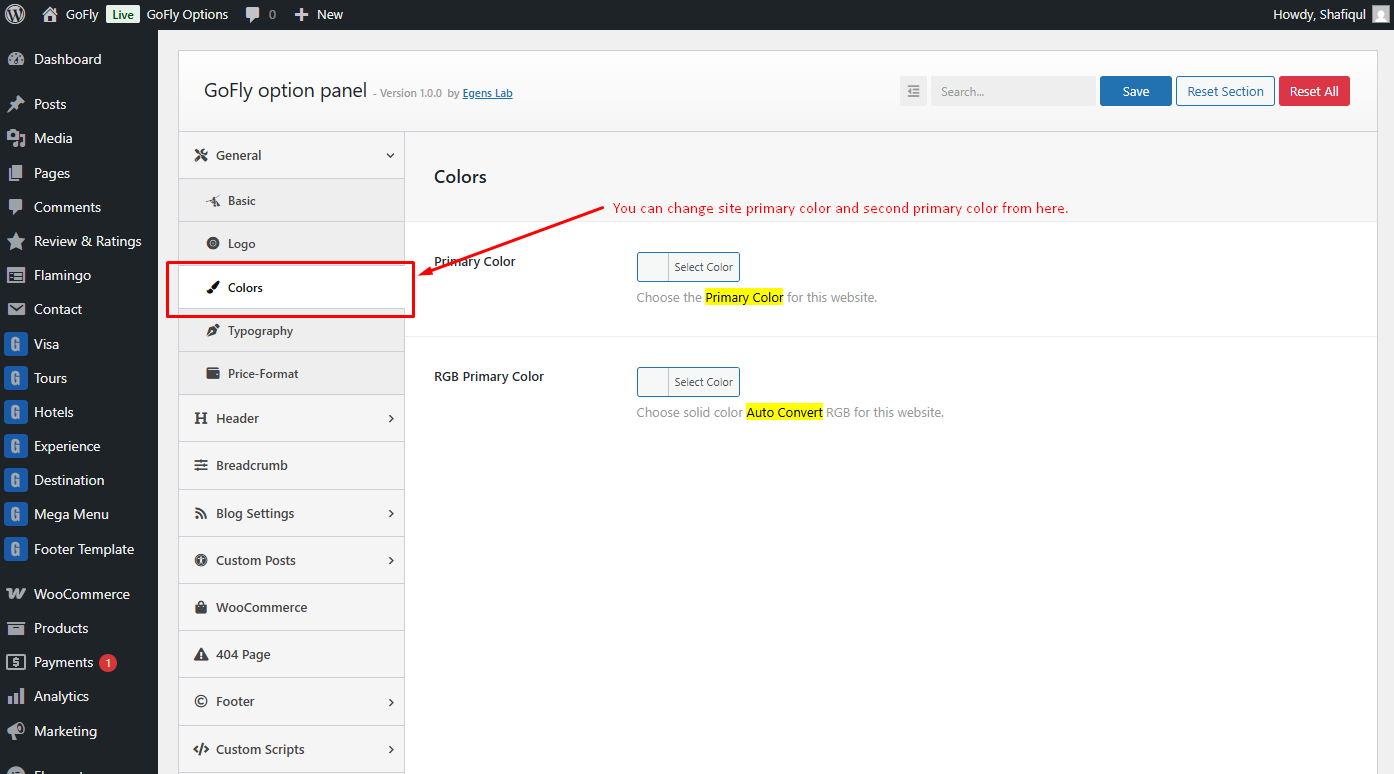
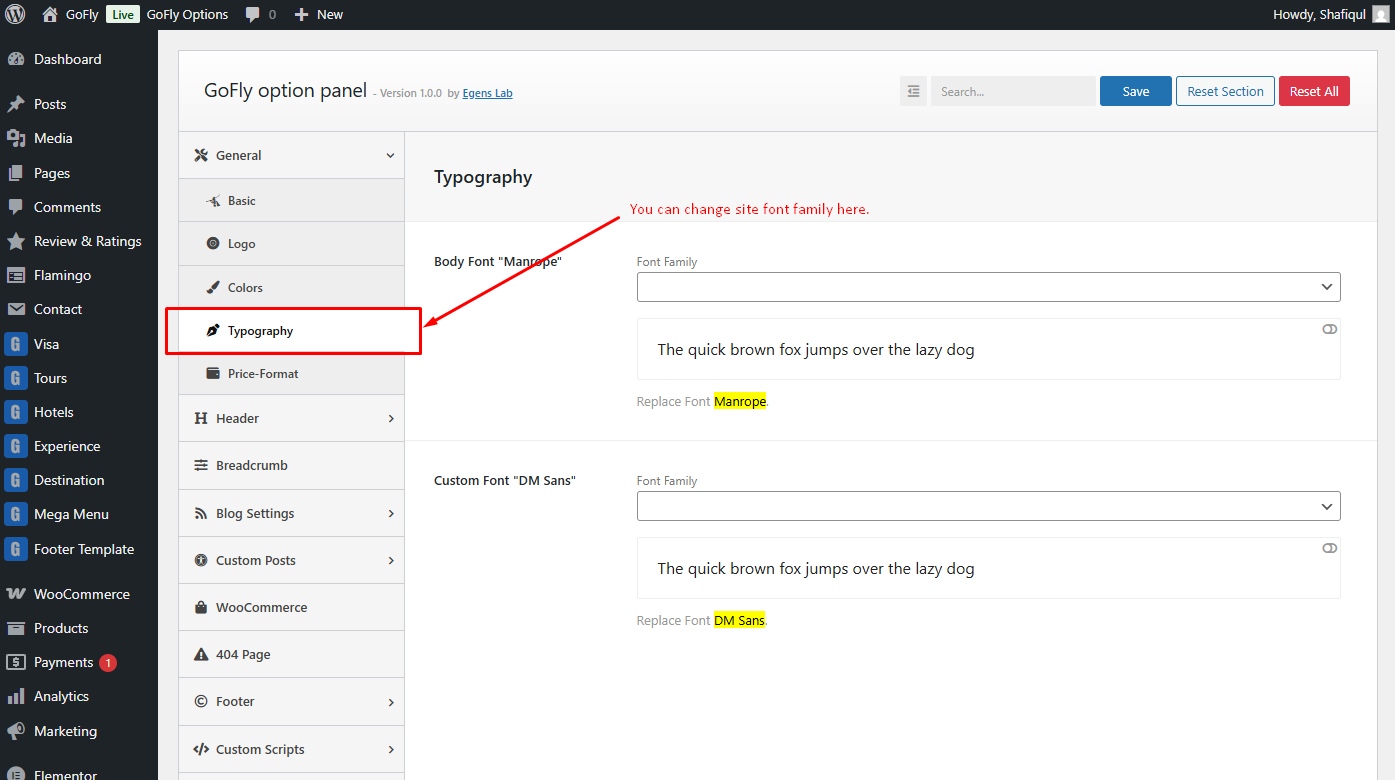
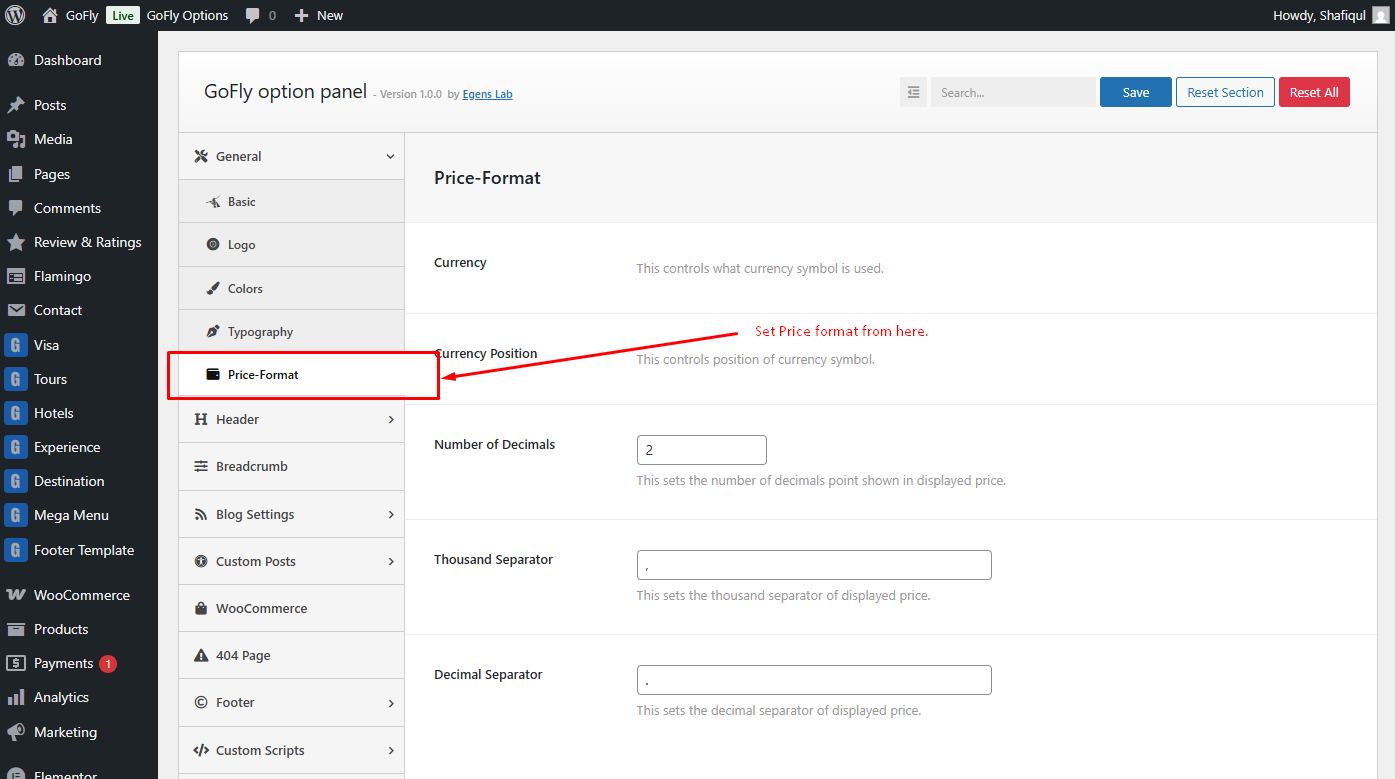
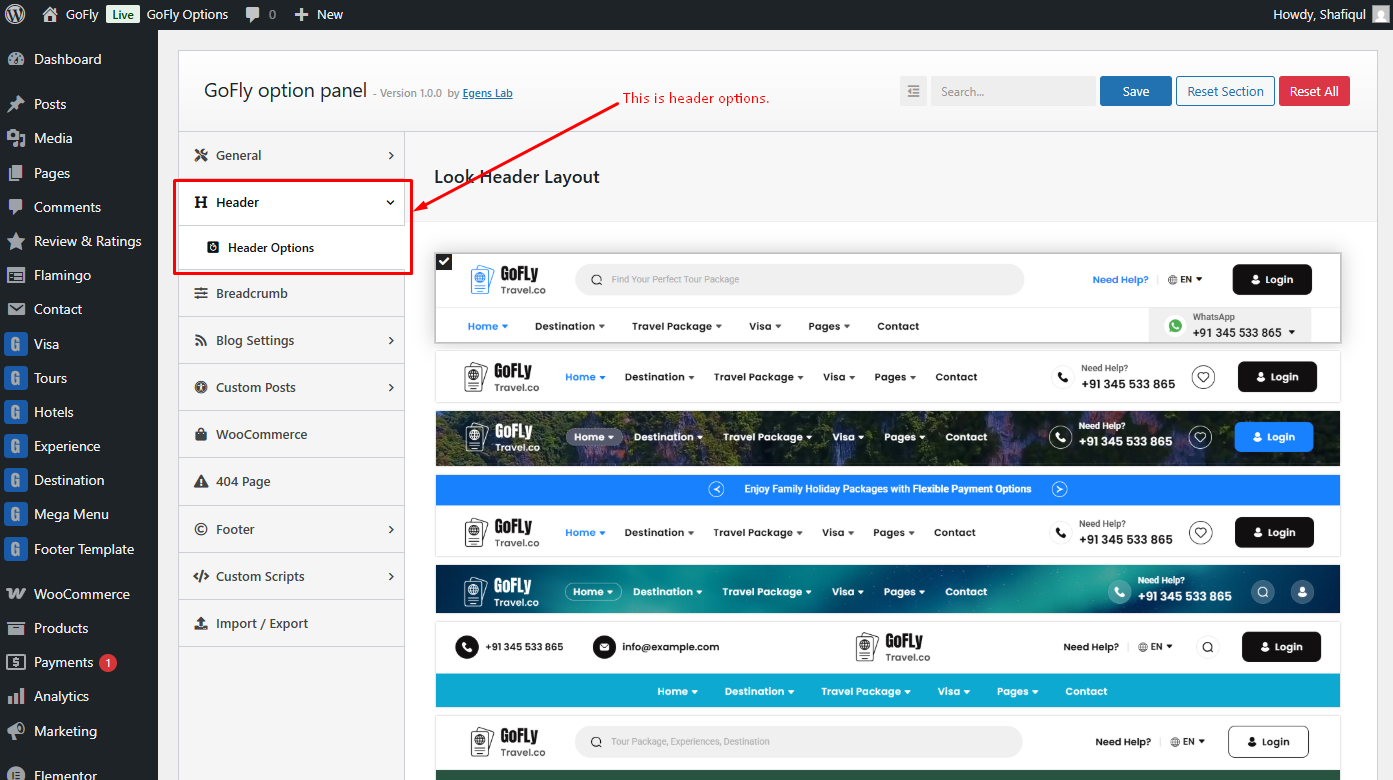
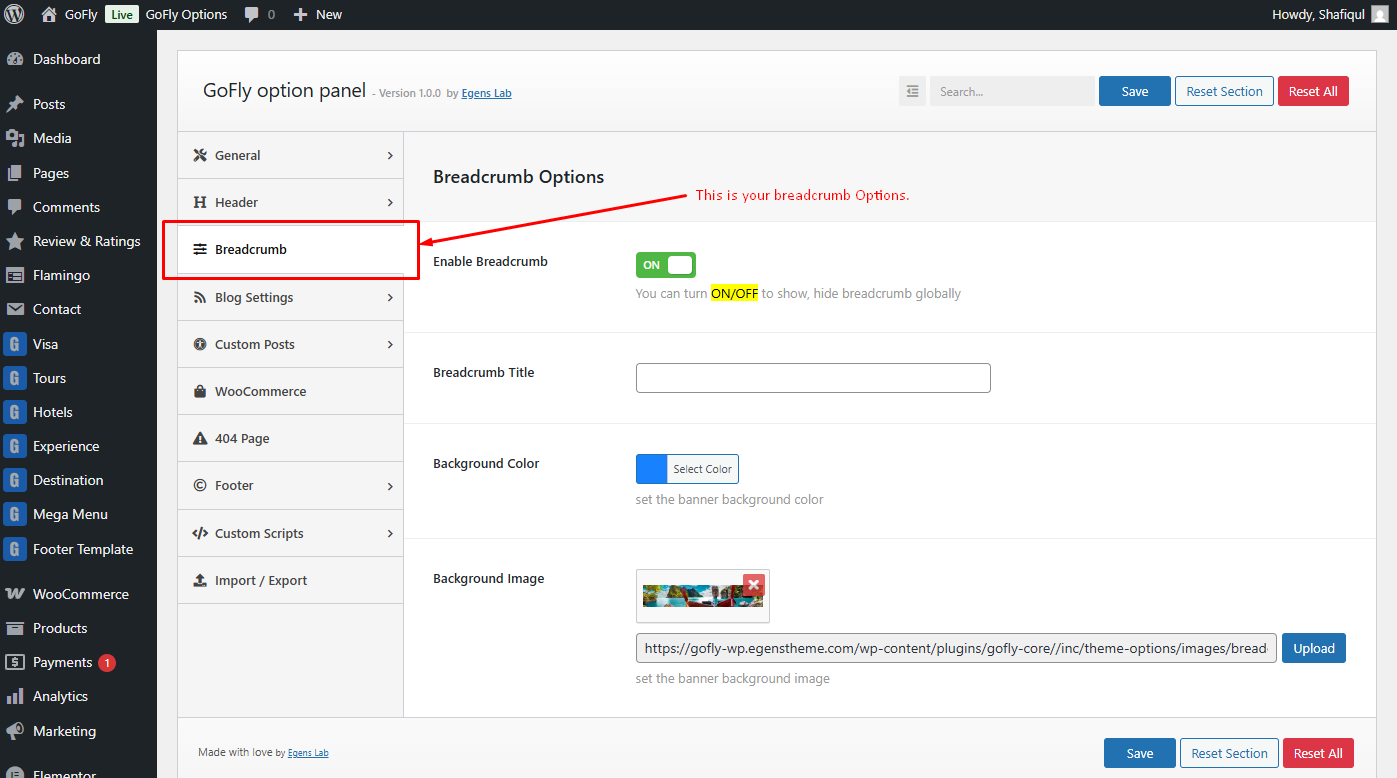
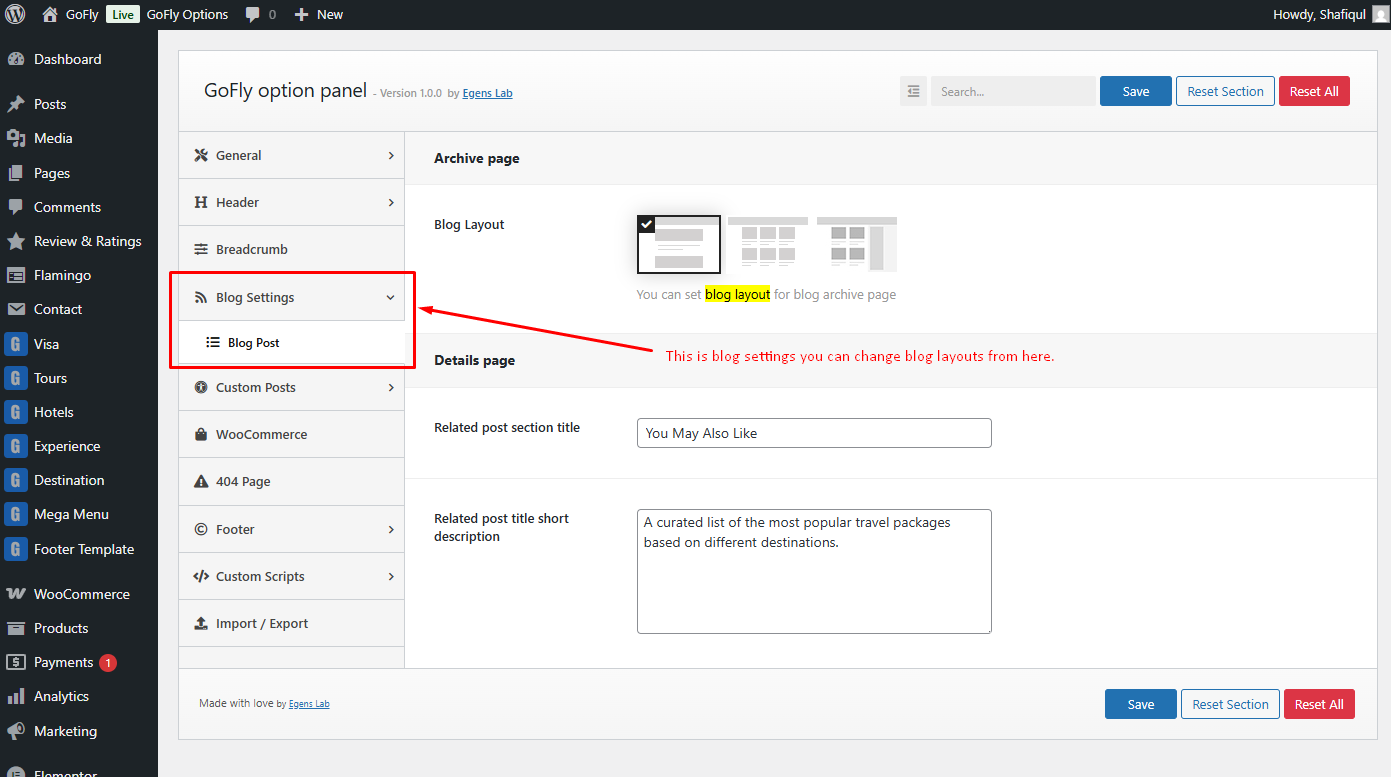
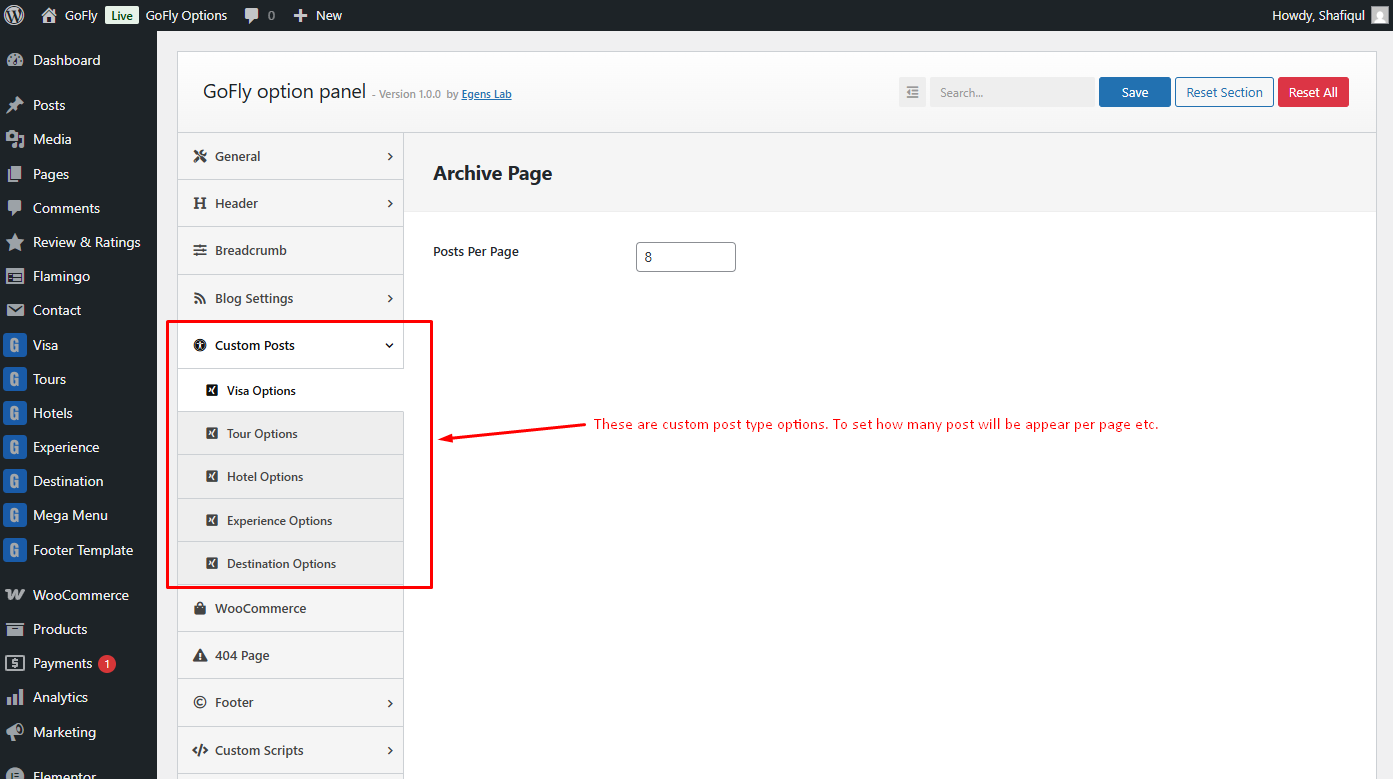
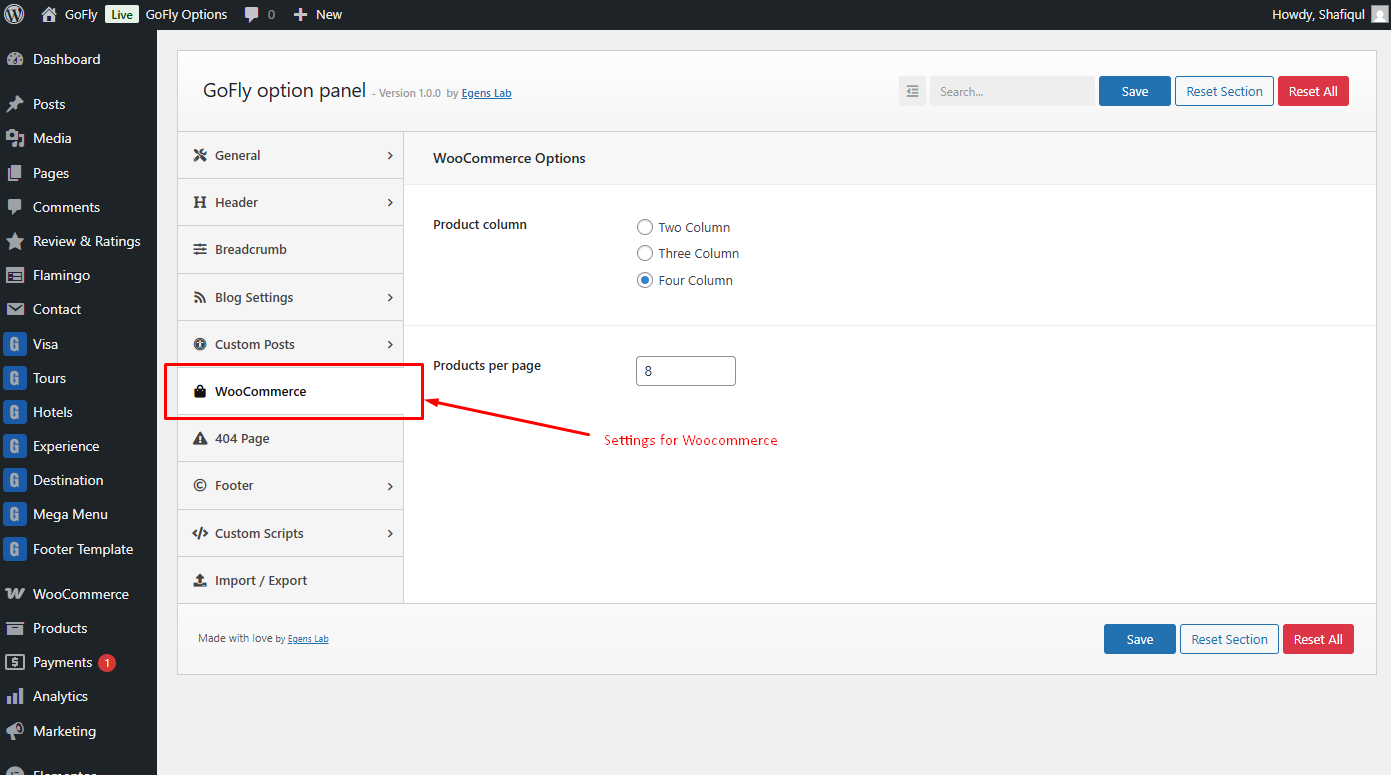
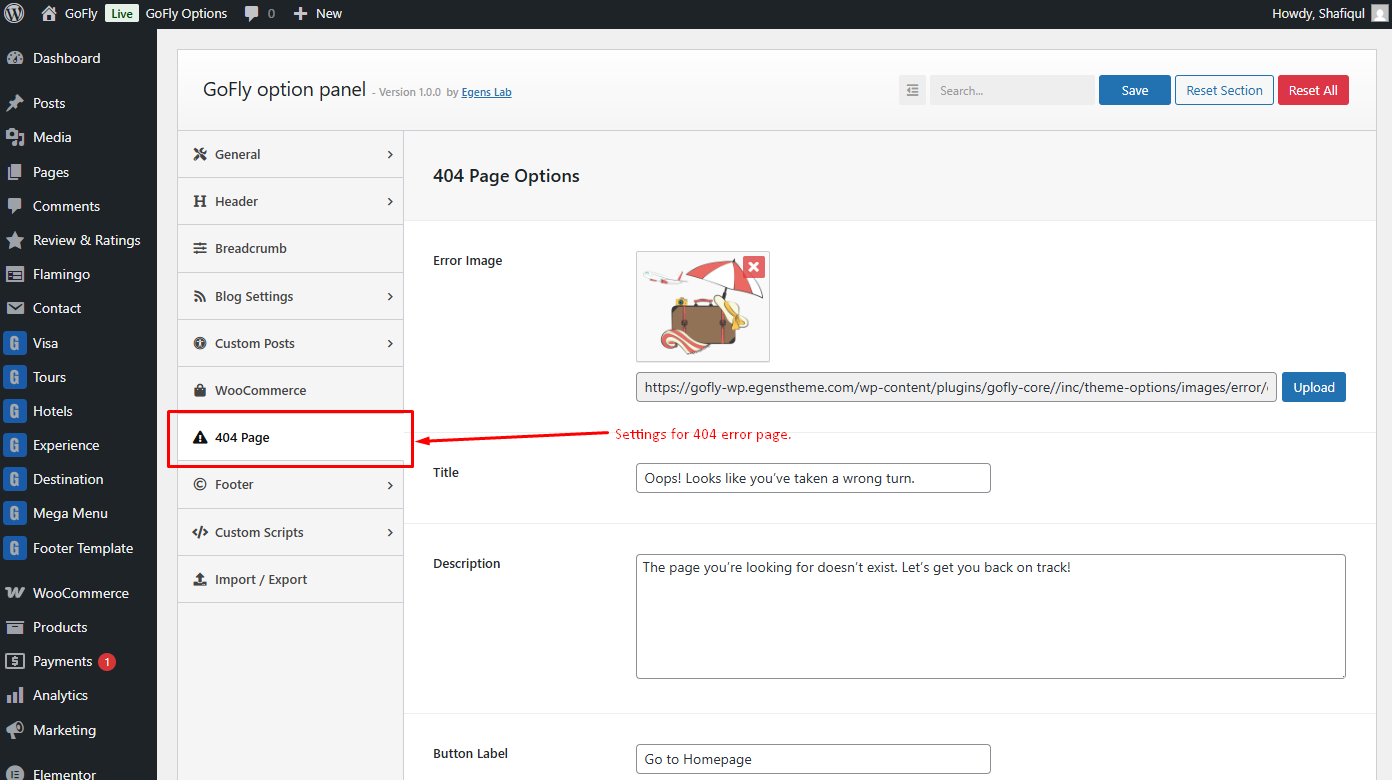
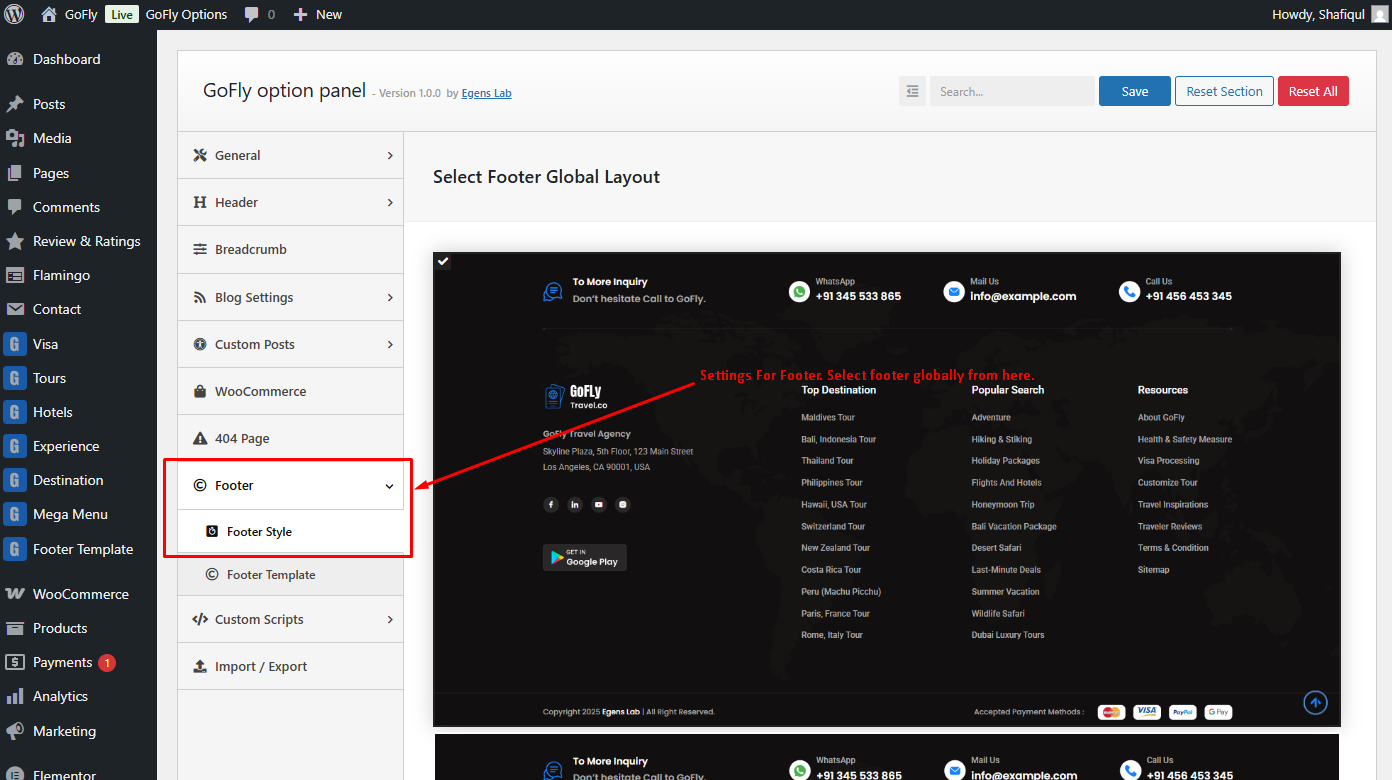
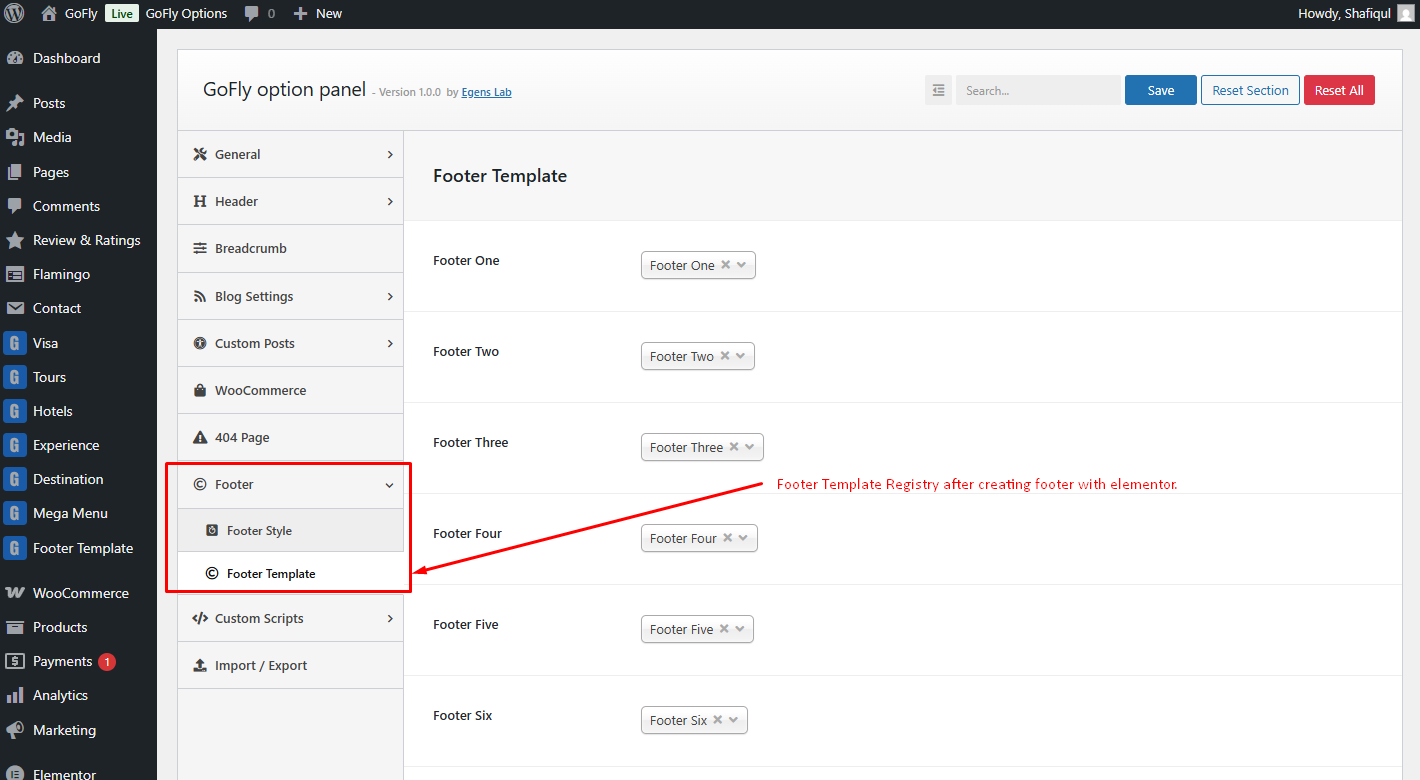
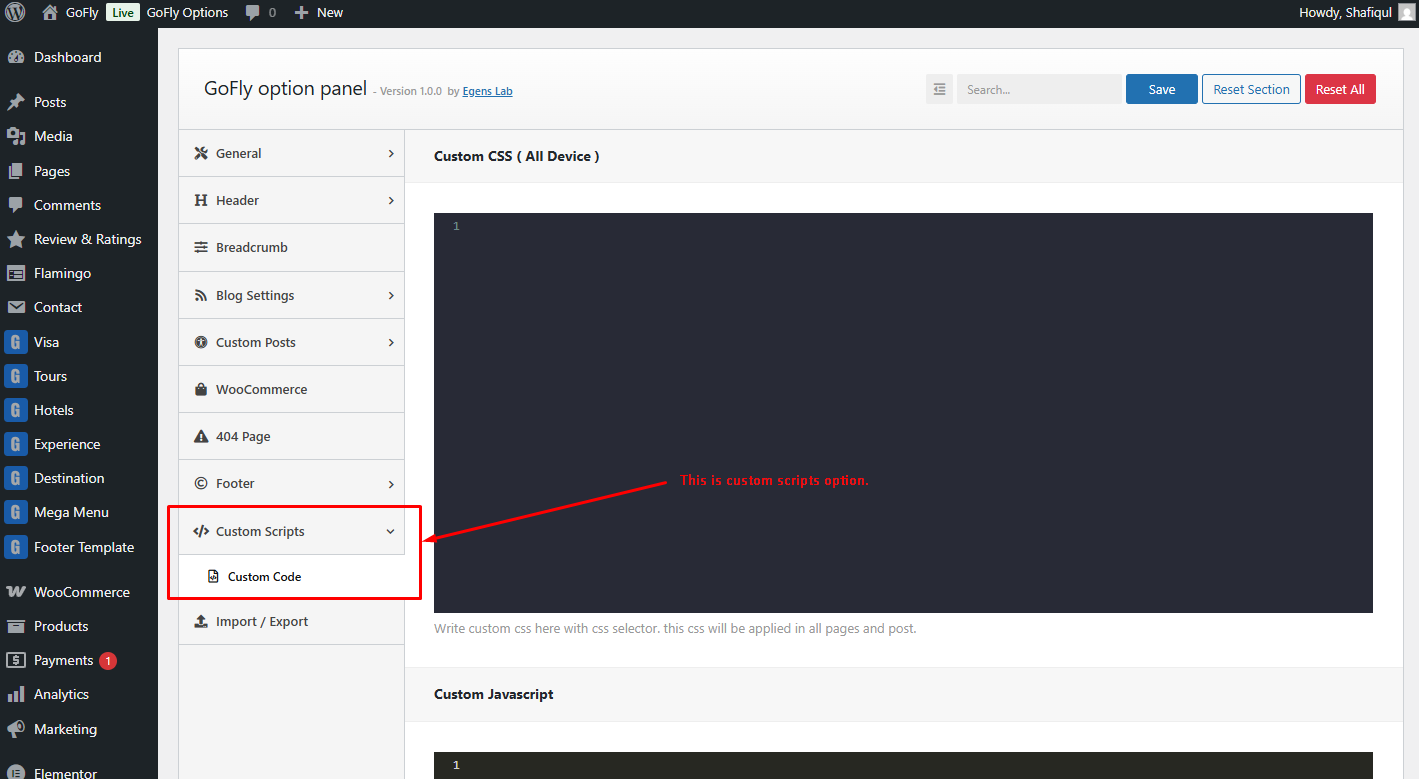
Follow these screenshot to change your theme layout from Theme Options
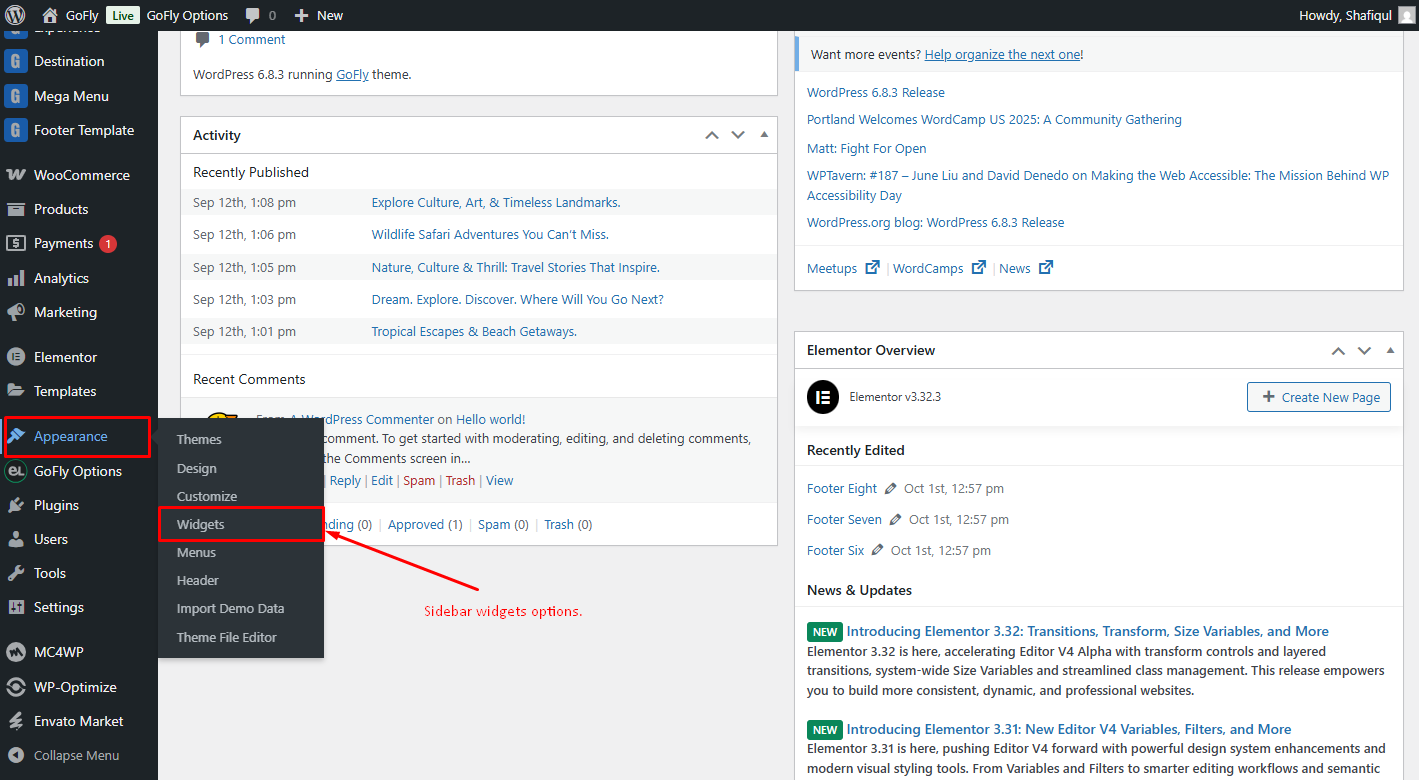
How to add widgets
Step 1: Navigate Appearance > Widgets.
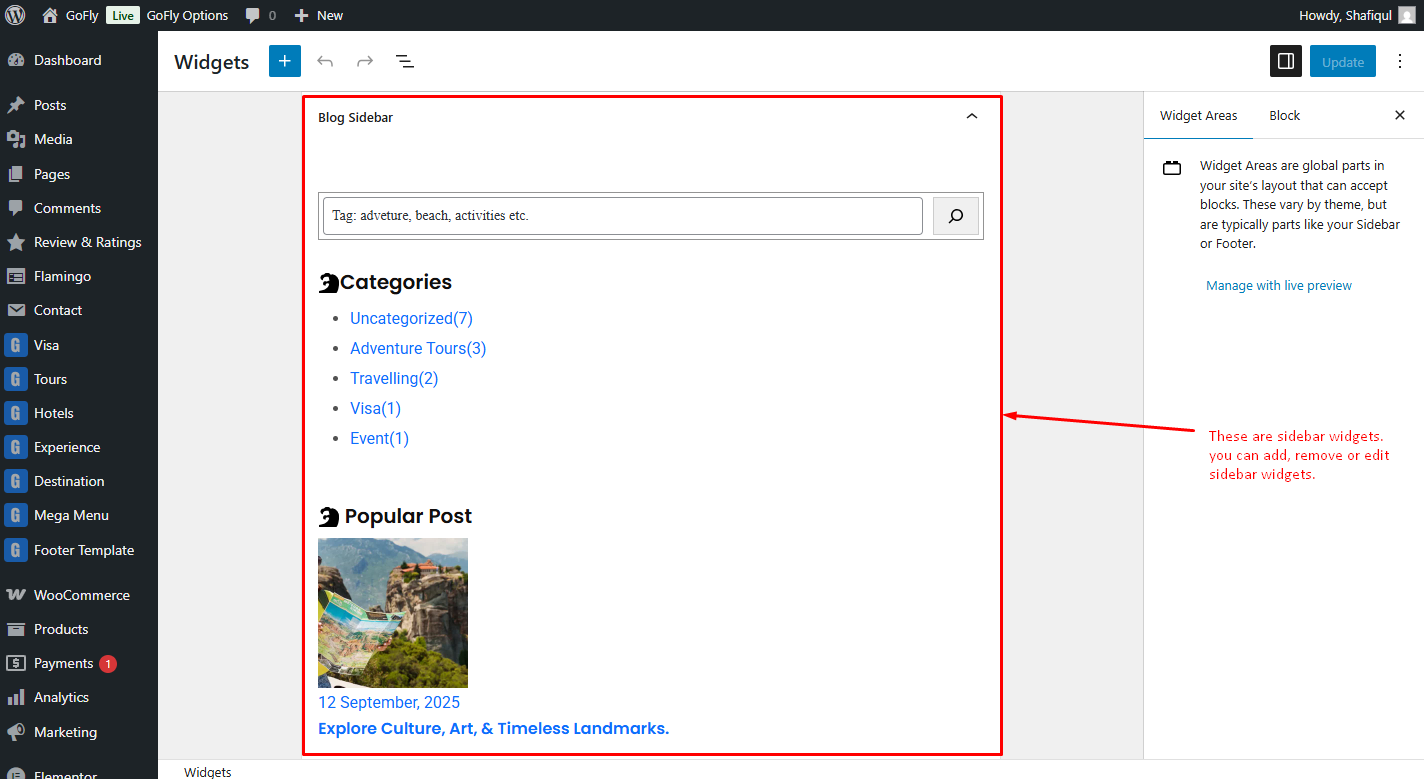
Step 2: You can see all the widget areas here.
How to edit a widget
Step 3: Click on Plus icon and search theme name to see all custom widget.
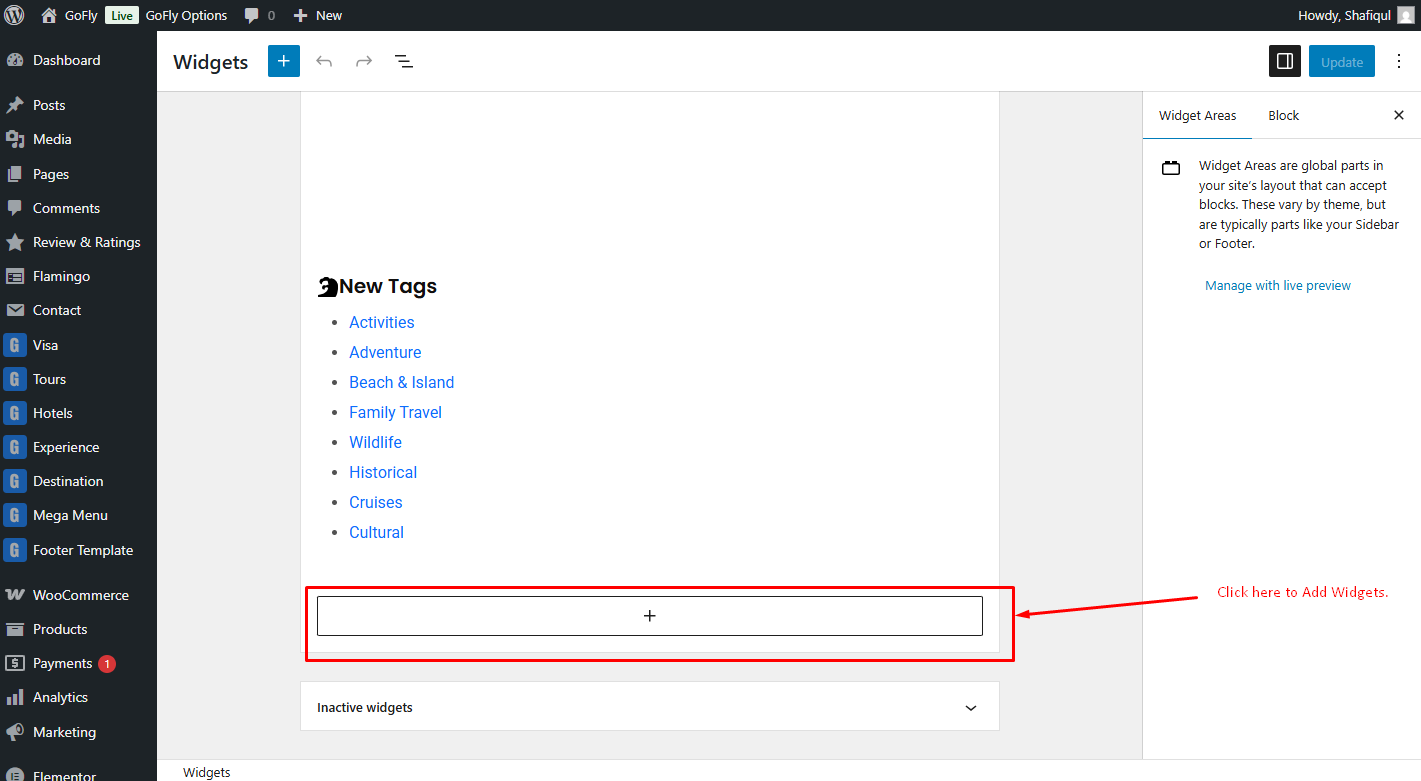
Step 4: Click on widget to edit them.
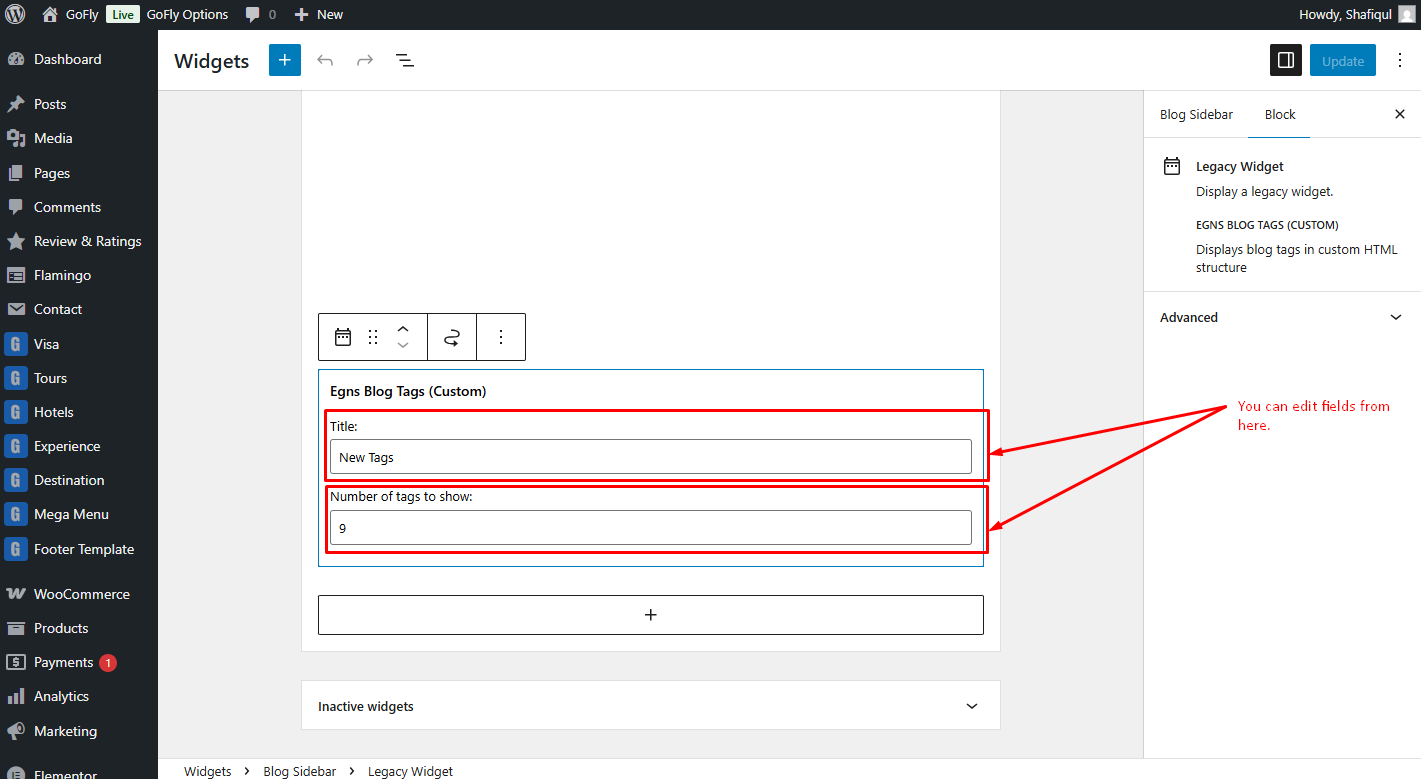
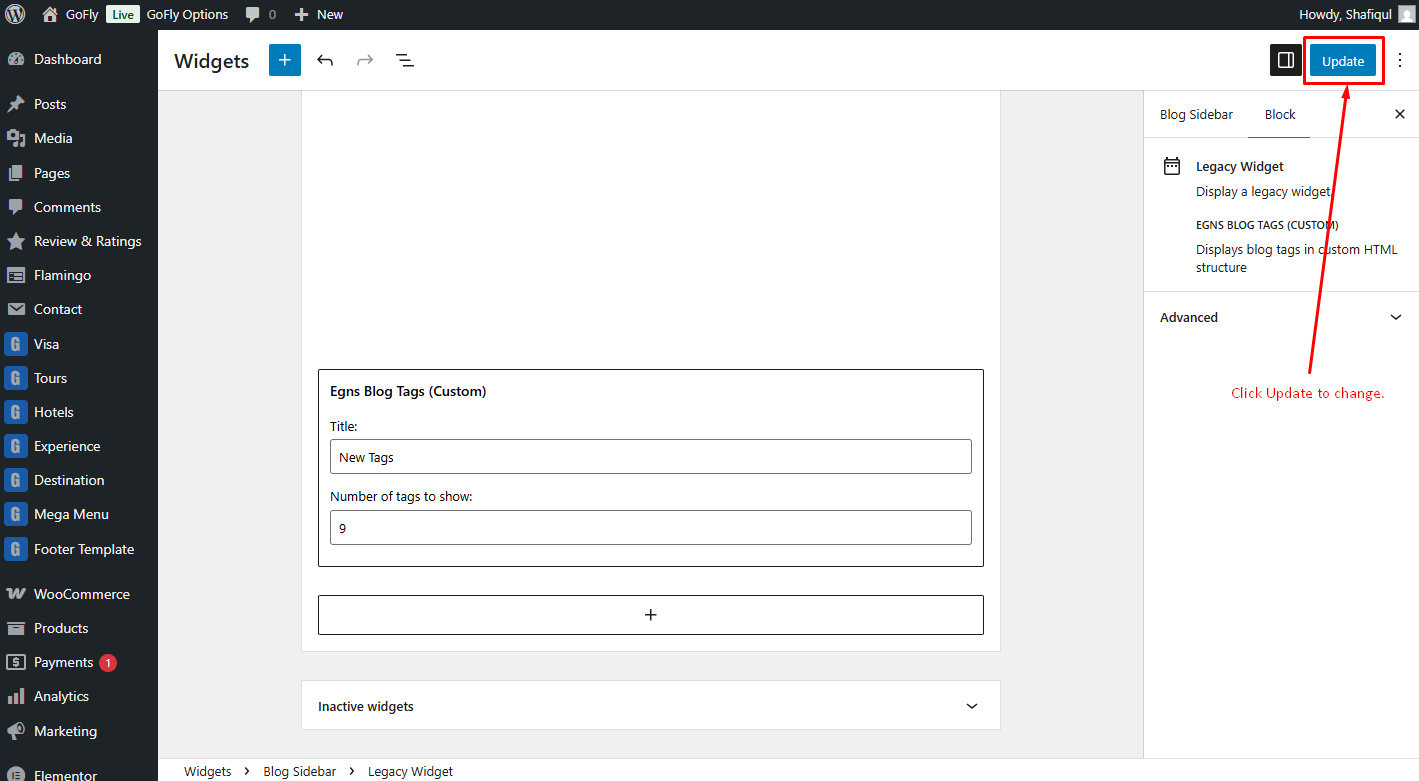
Step 6: After editing, click Update to save changes.
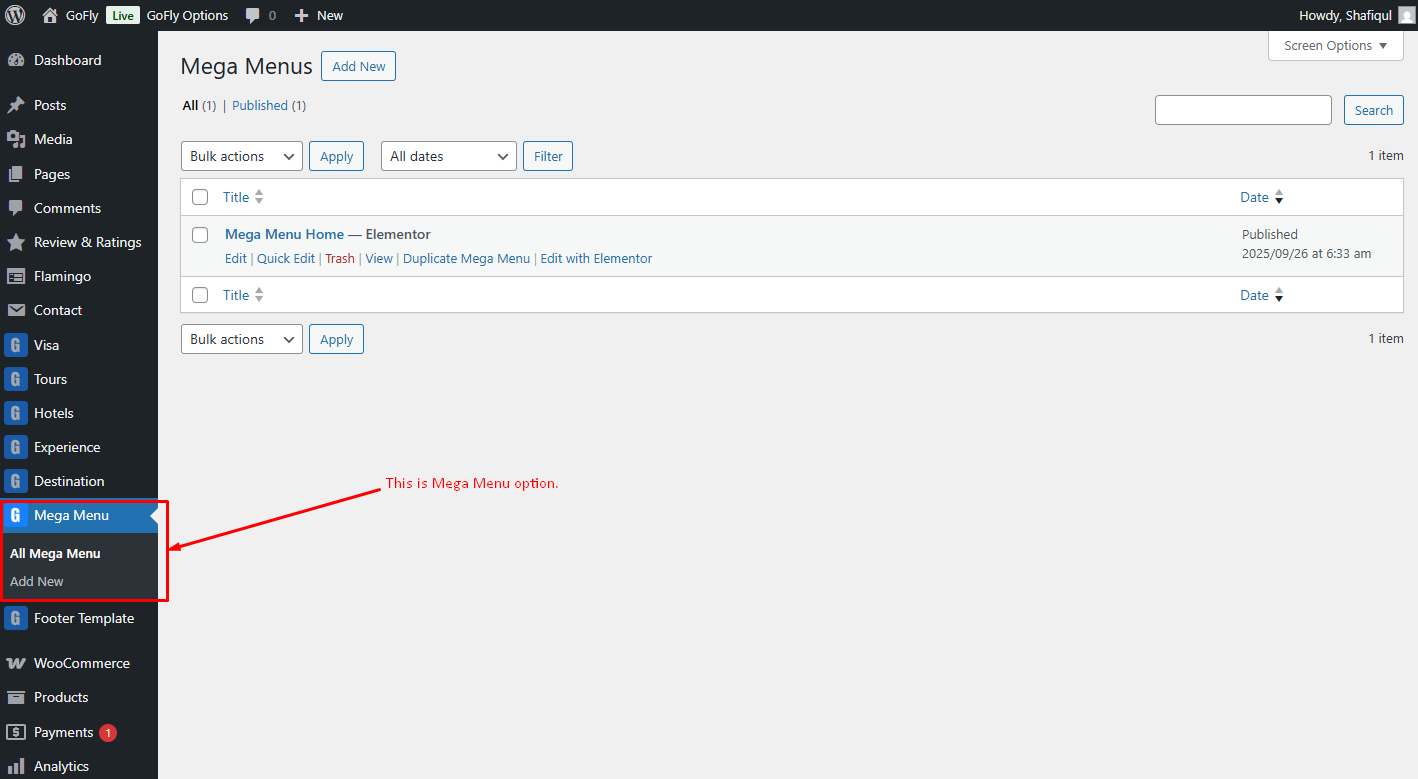
How to add Mega Menu
Step 1: Mega Menu Custom Post Type > Elementor edit.
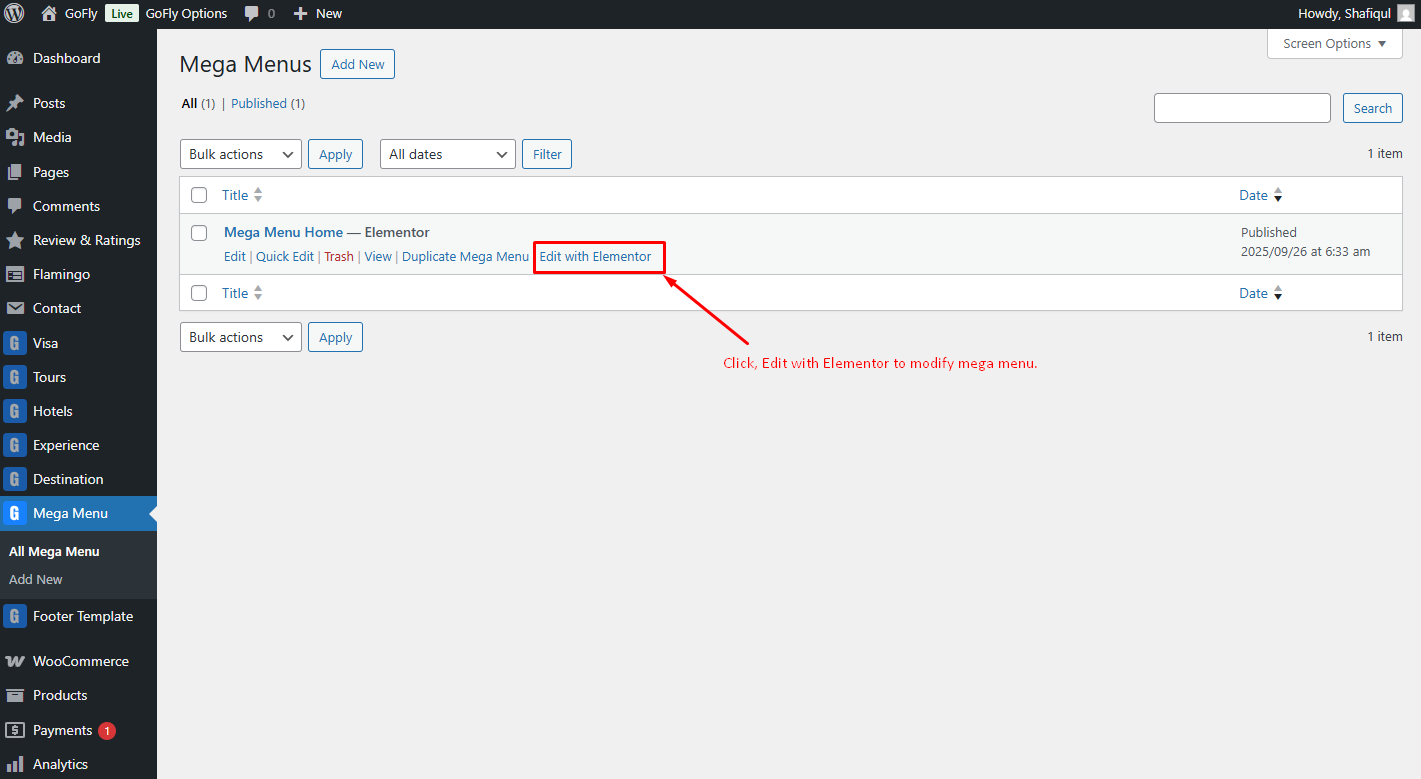
Step 2: Edit Mega Menu With Elementor
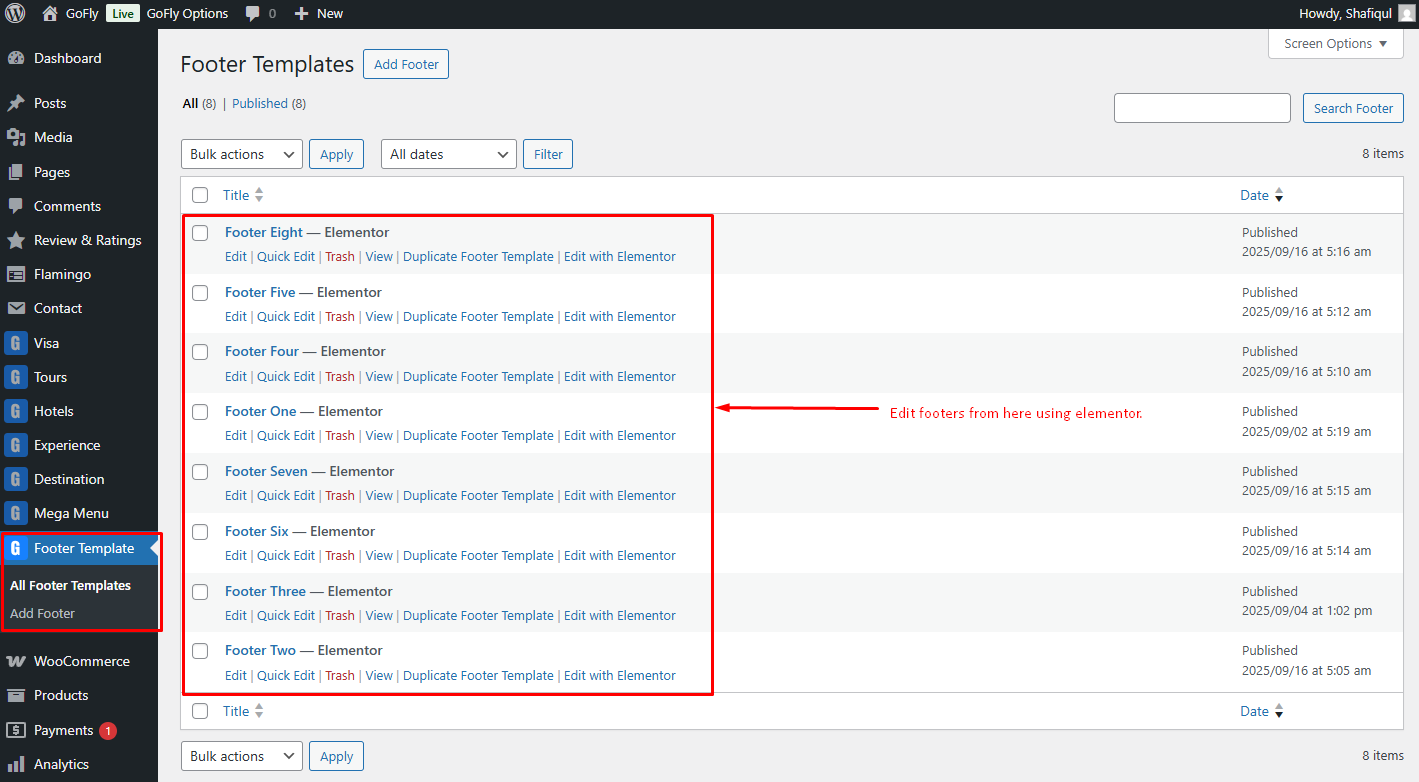
How to edit footer from footer blocks custom post type
Step 1: We have created a footer using the custom post type Footer Blocks. Additionally, we have developed a separate widget named EG Footer, which can be used in the footer with Elementor.
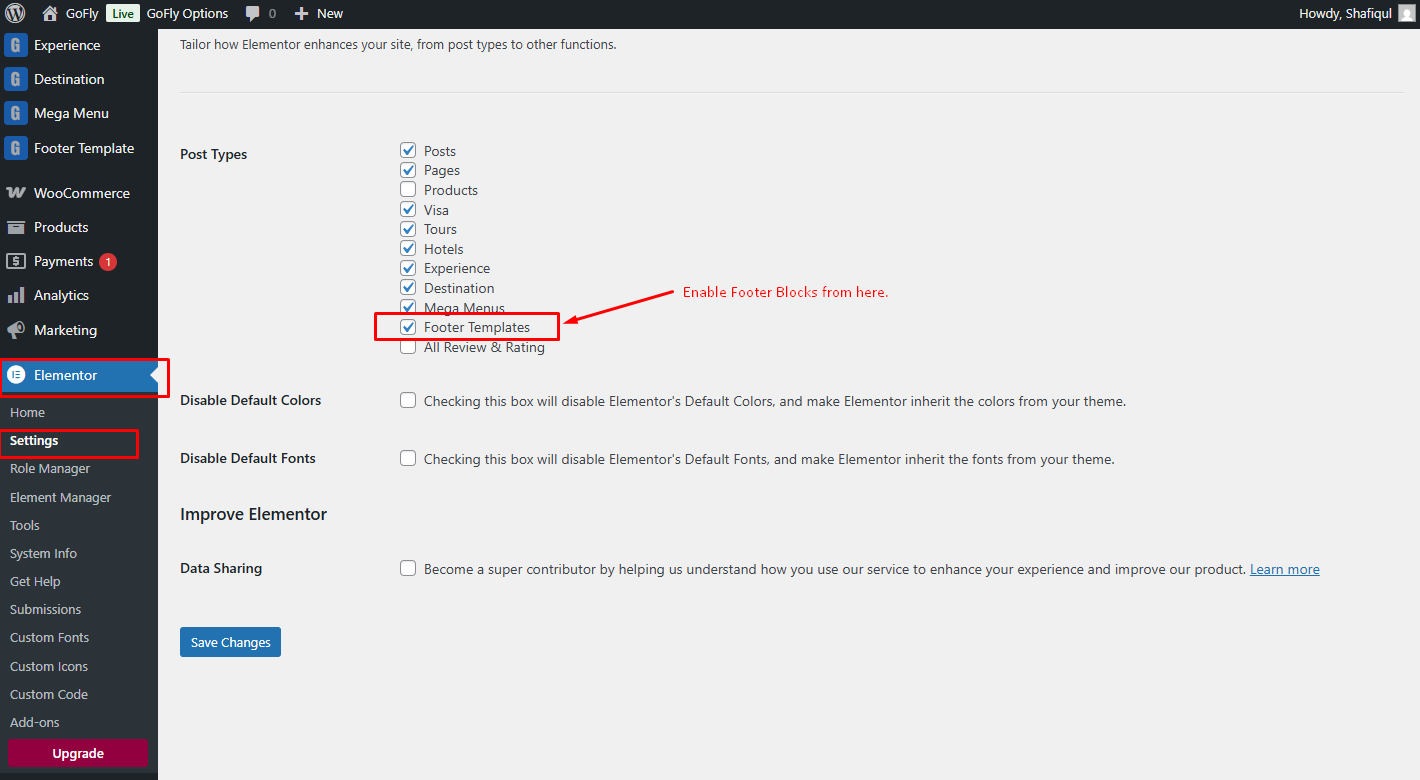
Step 2: Enable the footer blocks option in Elementor settings.
Theme Update Tutorial
There are two ways to update the theme. The regular and the automatic way.
Automatic
This is the easiest way to update a theme. You can do that by Envato Market Plugin. We already included this plugin with our theme. You need to install and activate the plugin and configure it with your themeforest profile. For configuring this plugin follow this tutorial article: http://www.wpexplorer.com/envato-market-plugin-guide/.
Manual
Go to your "Themeforest Download Account" and download the latest package. Unzip it and overwrite the theme folder on your server via a FTP Client.
Plugins
If the theme uses plugins and there are updates available for theme, you should see a notification and be able to easily install theme.However if you don't see the notification bar, you can update the plugins manually as well.
Plugins
Following list of packages will be included:
- Elementor Page Builder
- Egens Core
- Contact Form 7
- Flamingo
- Review & Rating
- MC4WP: Mailchimp for WordPress
- One Click Demo Import
- SVG Support
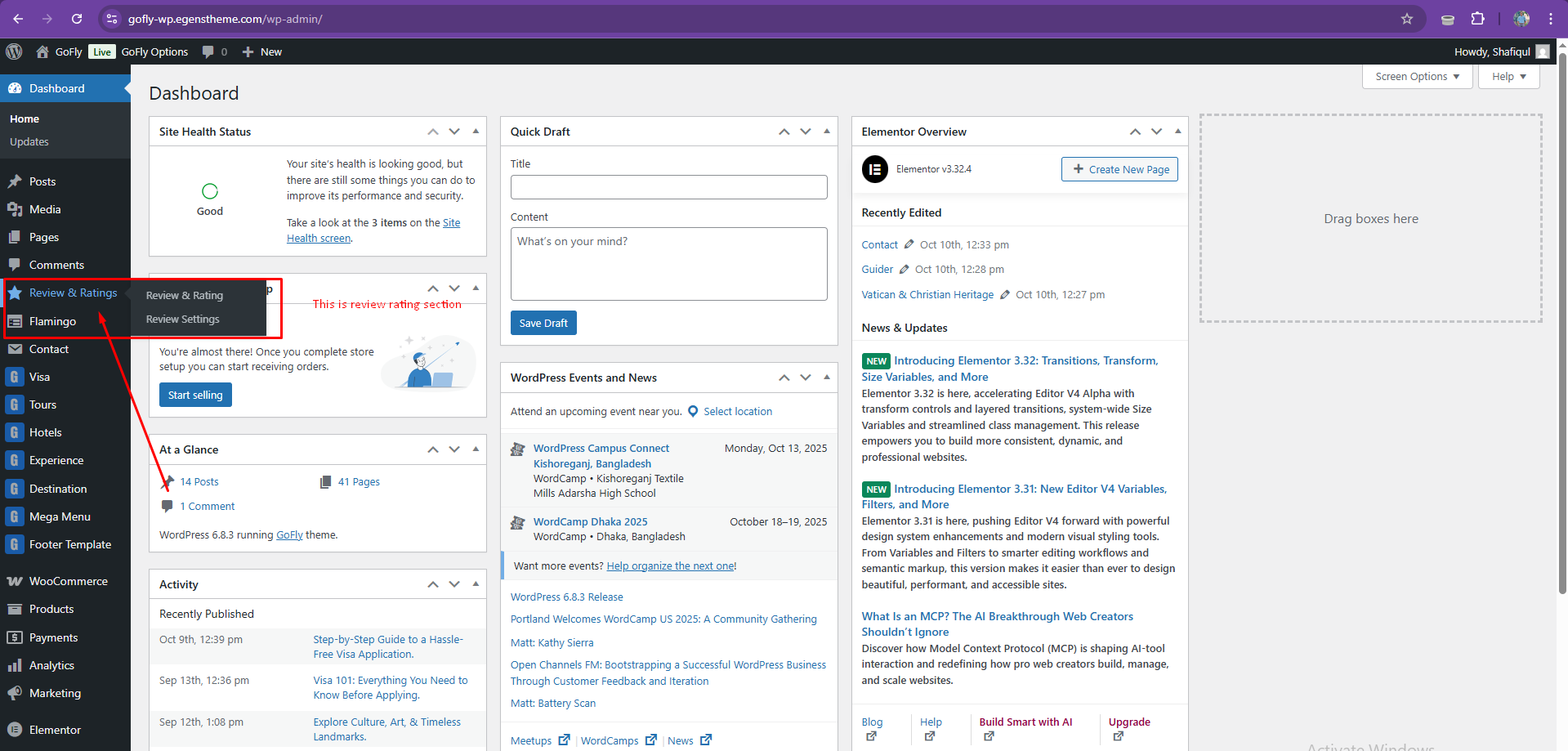
Review and Rating Section
Shortcode Section
The shortcode to display the review input and view section => [review_rating]
Use this shortcode to show the total number of reviews => [post_rating_count]
Where you see this plugin
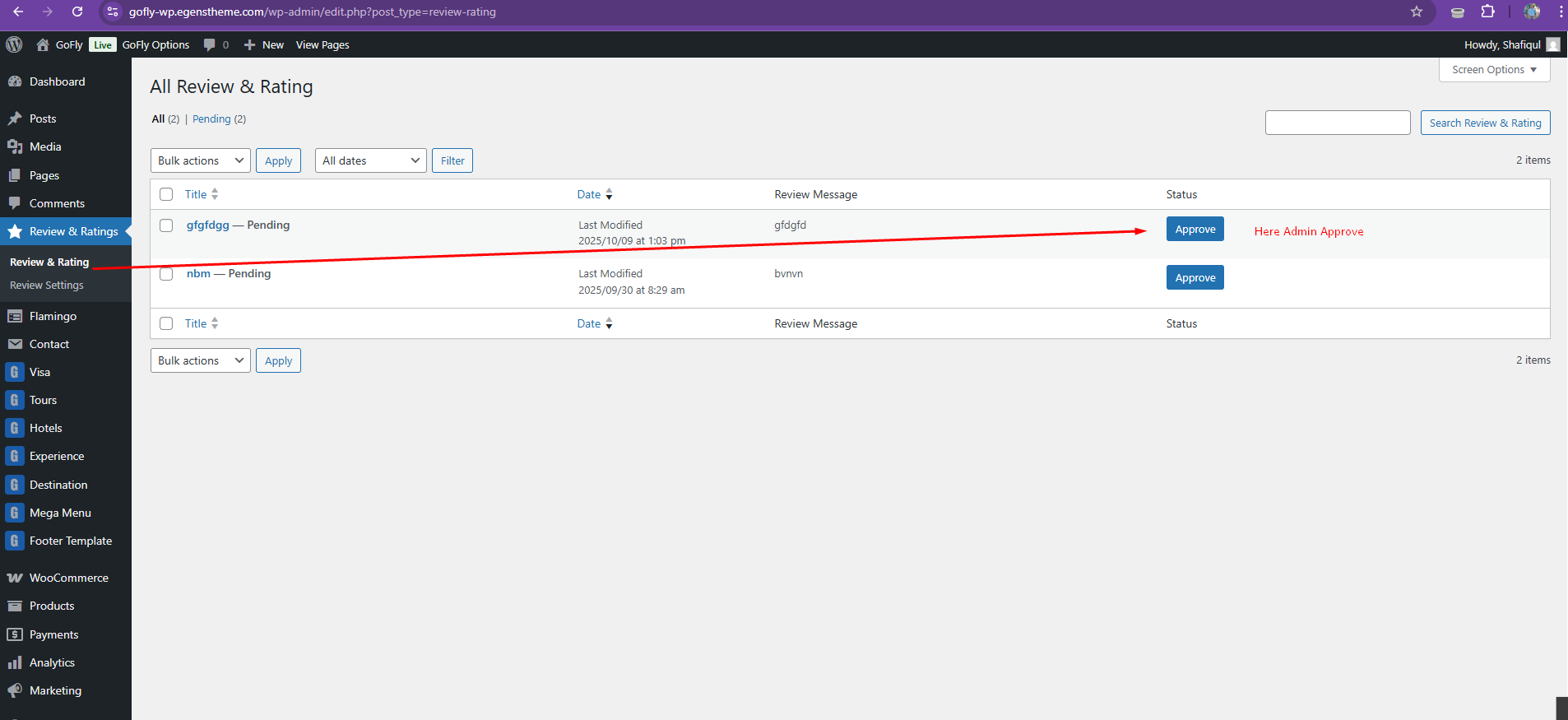
Where You Approve Review
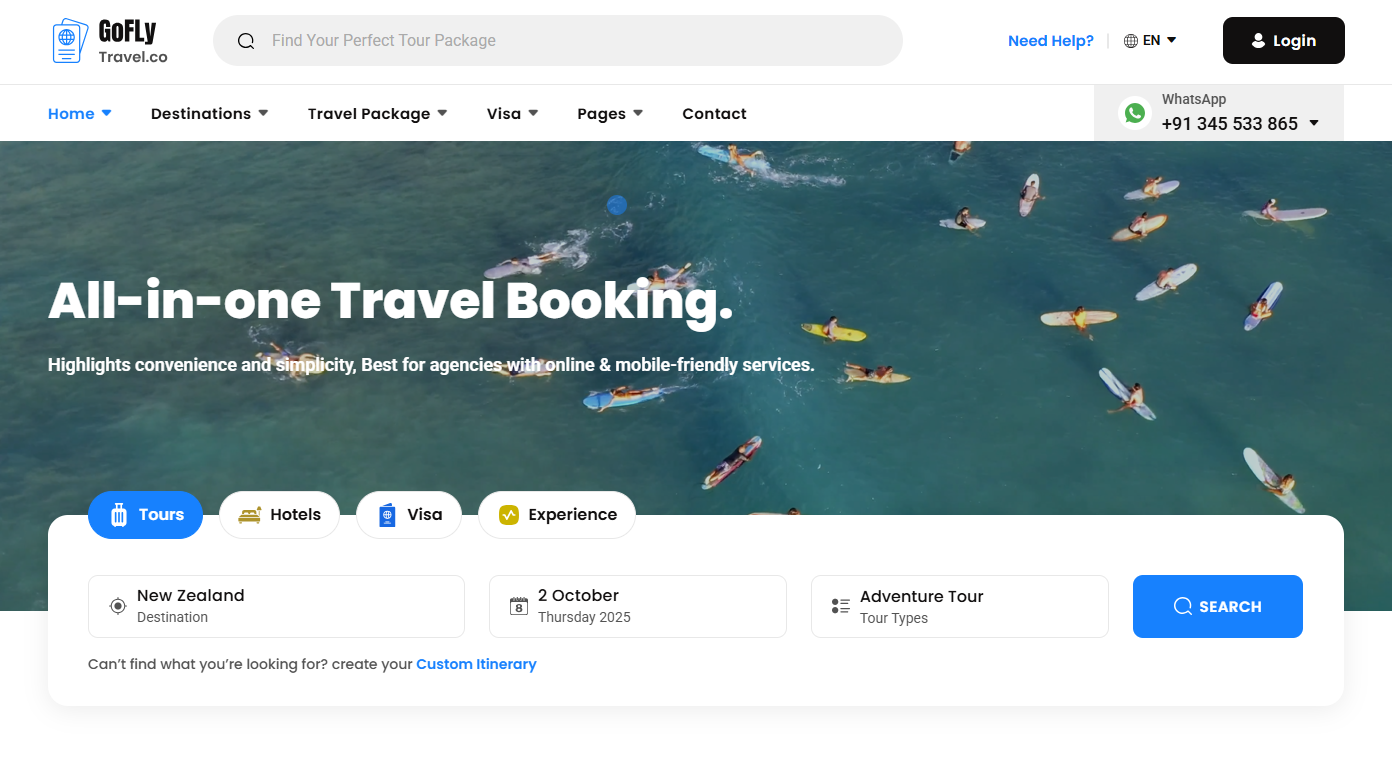
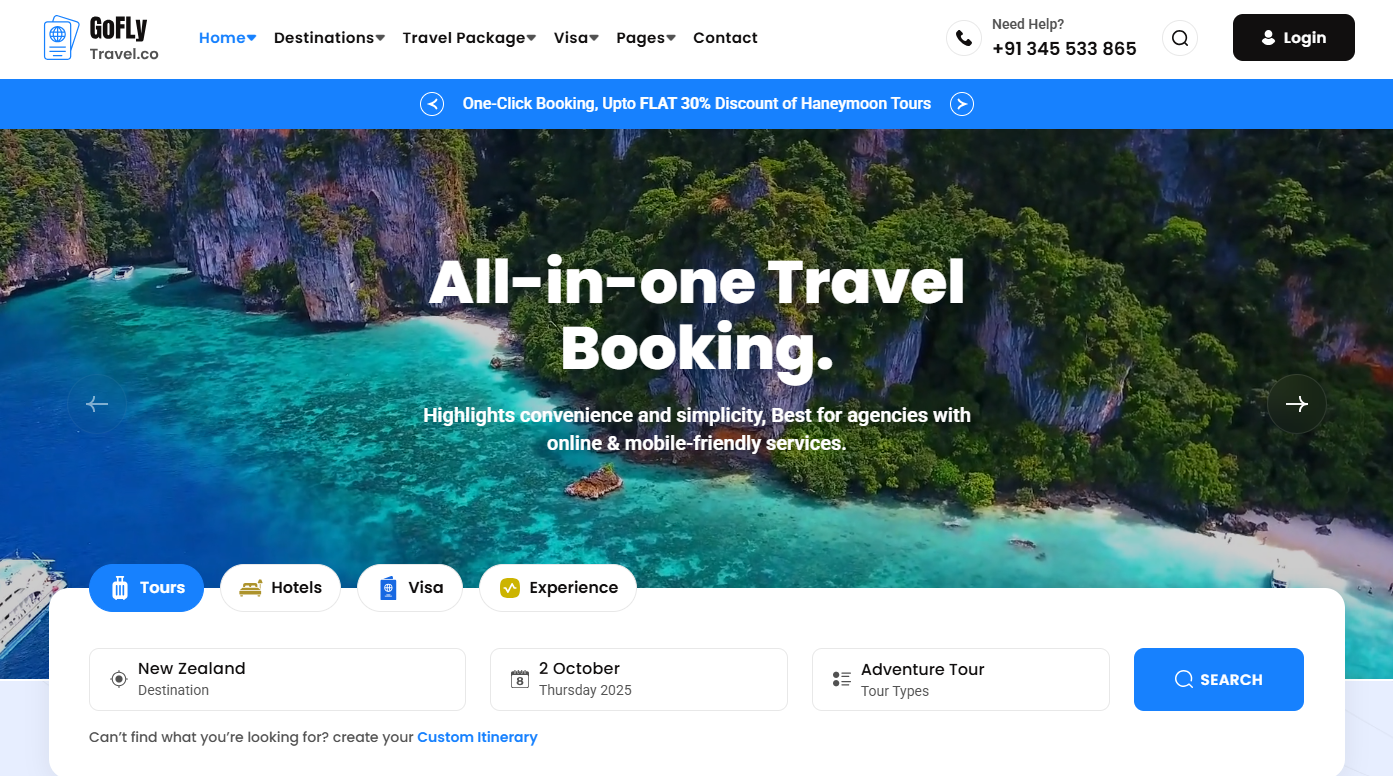
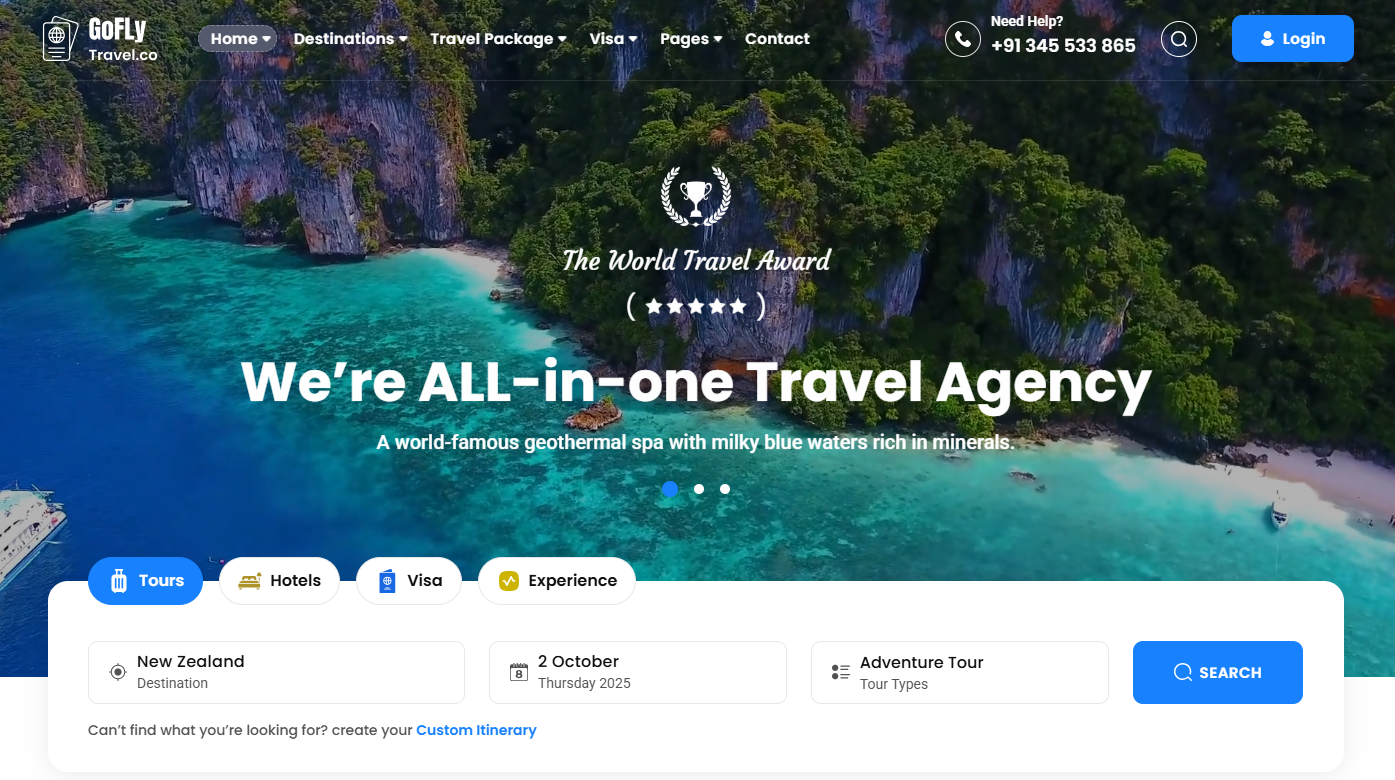
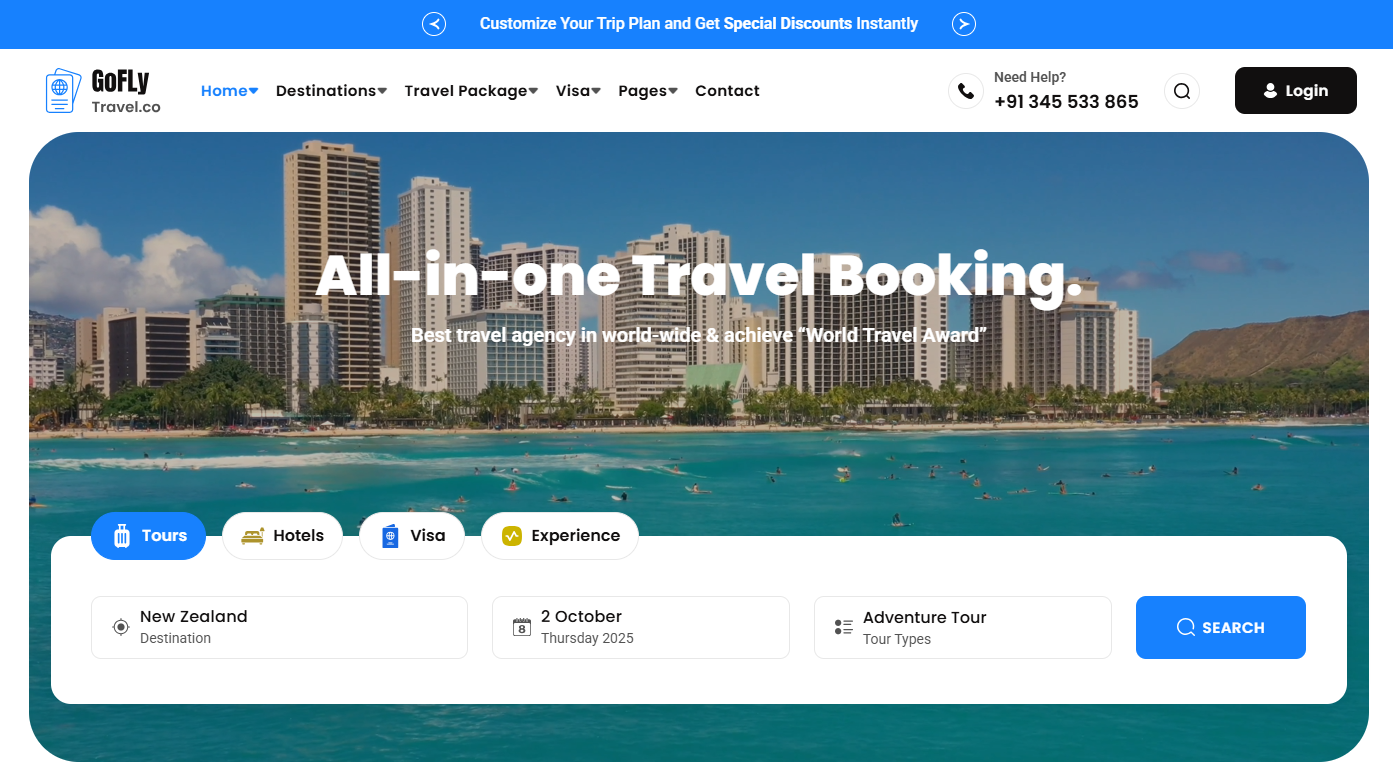
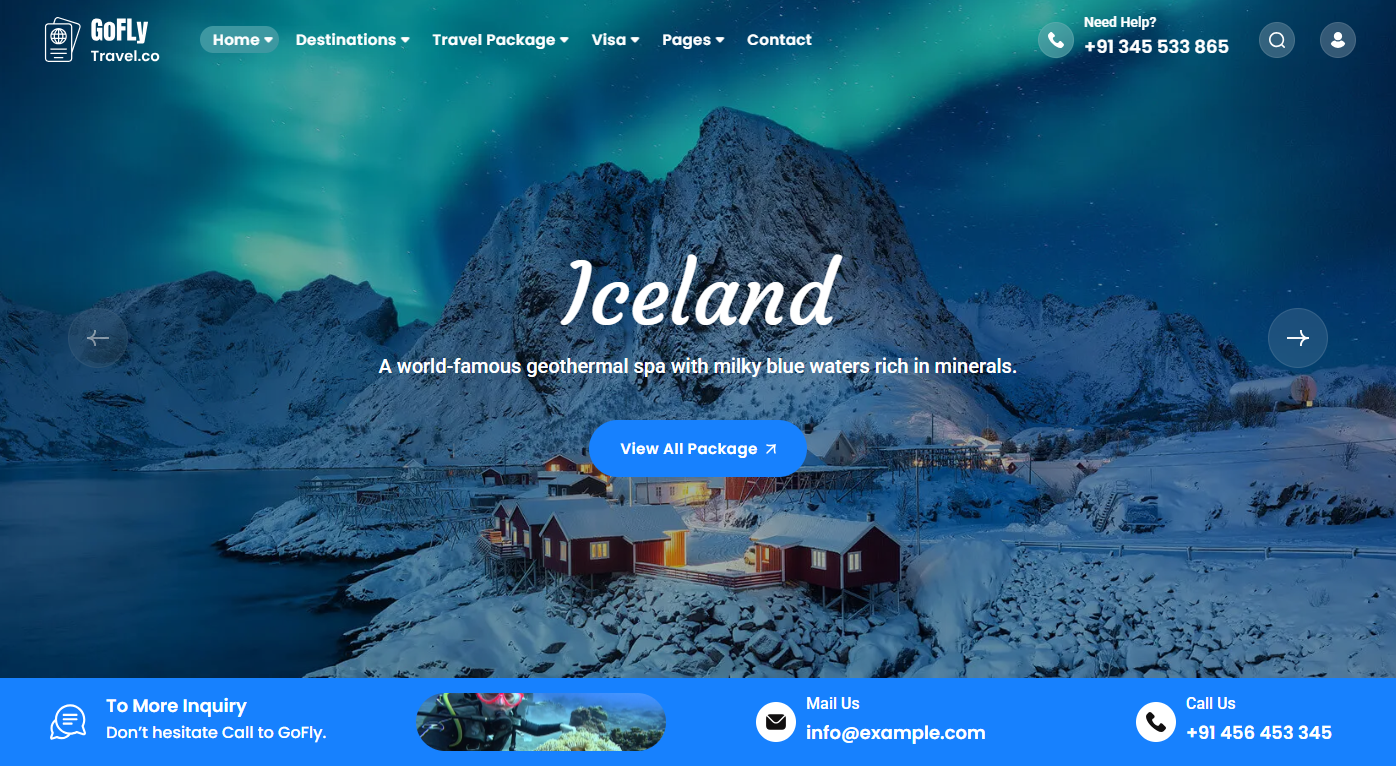
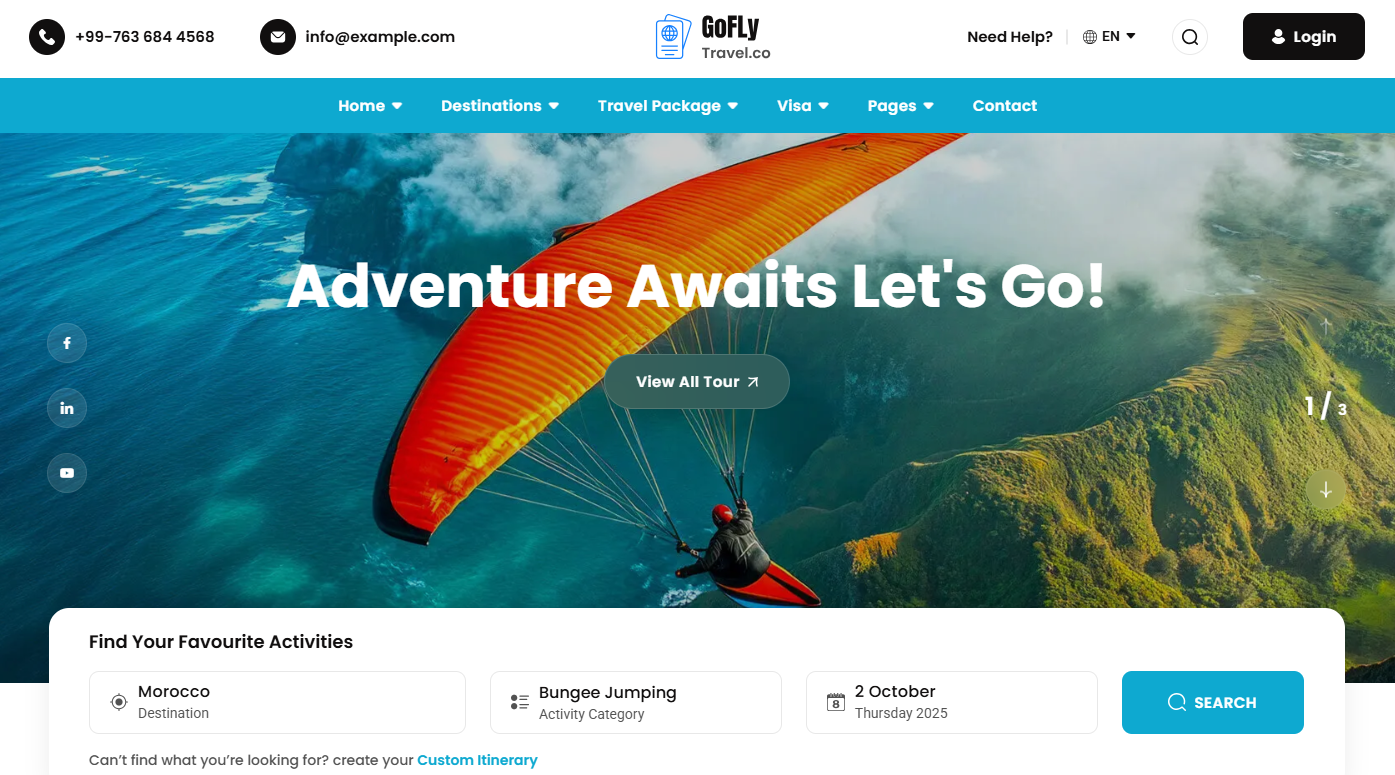
Home Page Demos


Source & Credits
Images:
- Unsplash - https://unsplash.com/
Icons:
- Icons Font Face - https://icons.getbootstrap.com
- Icons Font Face - https://boxicons.com
Scripts:
- jQuery - http://www.jquery.com/
- Bootstrap 5 - http://getbootstrap.com/
- swiperjs - https://swiperjs.com/get-started
- Magnific Popup - https://dimsemenov.com/plugins/magnific-popup
Support
If this documentation doesn't answer your questions, So, Please send us Email via Item Support Page
We are located in GMT +5: 30 time zone and we answer all questions within 12-24 hours in weekdays. In some rare cases the waiting time can be to 48 hours. (except holiday seasons which might take longer).
Don’t forget to Rate this template
Go to your Themeforest Profile > Downloads Tab > & then You can Rate & Review for our template.
Thank You.
More Templates
Checkout Our Premium Templates Below