Documentation
Servic - On Demand & Service Sale Multipurpose Website Template.
Servic is a modern, clean, and highly customizable HTML service marketplace template designed for businesses and startups offering professional services online. Whether you’re building a platform for on-demand services, local professionals, or service providers in any niche — Servic delivers a polished, user-friendly interface with all the essential components buyers expect. Built with semantic HTML5 and CSS3, this template is fully responsive, SEO-friendly, and ready to help users create stunning service marketplace sites with ease.
- Item Name: Servic - On Demand & Service Sale Multipurpose Website Template.
- Author: Egens lab
- Created: 03 December, 2025
- Version: 1.0
If you have any questions that are beyond the scope of this help file, Please feel free to email via Item Support Page.
Installation
Follow the steps below to setup your site template:
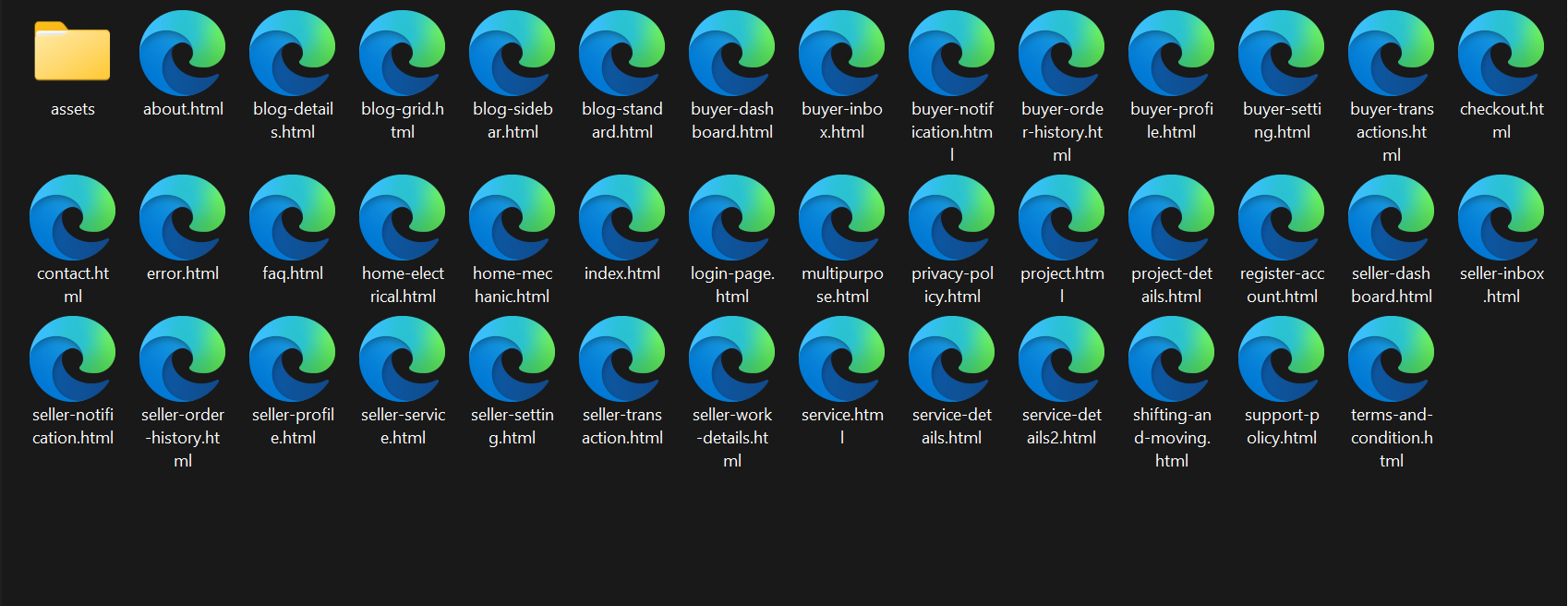
- Unzip the downloaded package and open the /HTML folder to find all the template files. You will need to upload these files and sub folders to your hosting web server using FTP or file manager in order to use it on your website.
- Below is the folder structure and needs to be uploaded to your website root
directory:
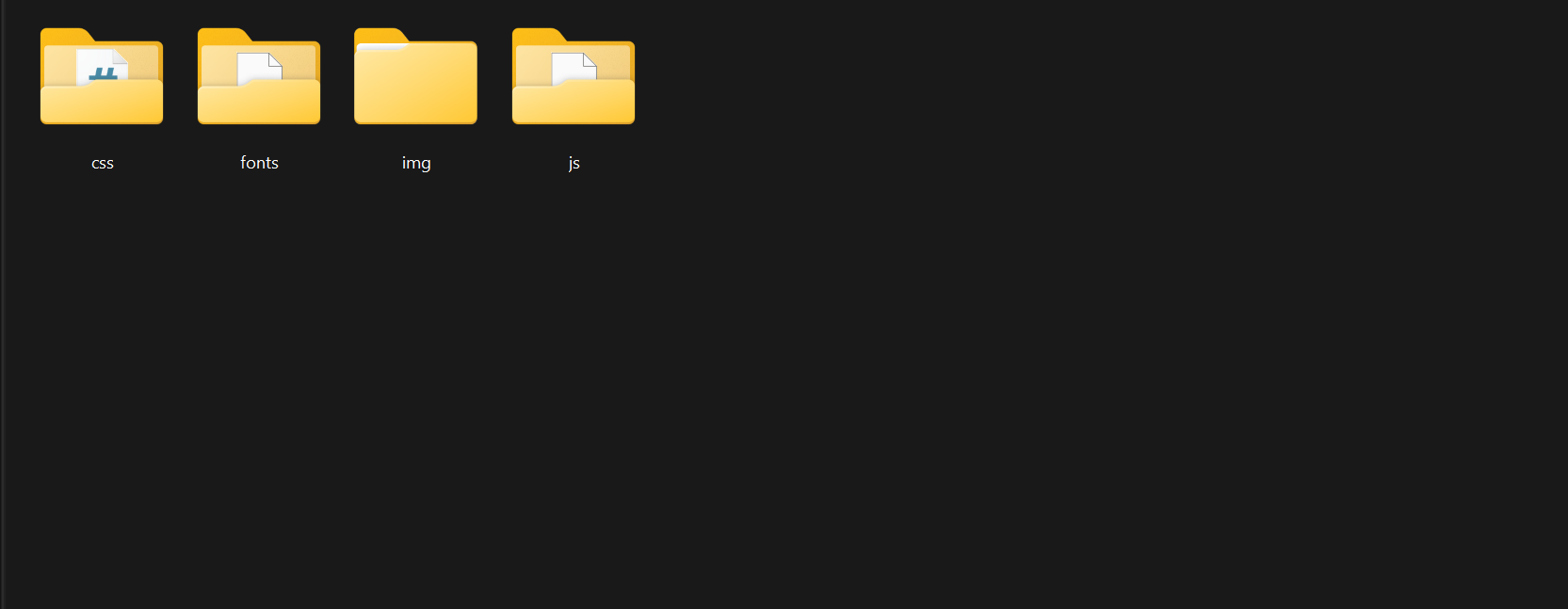
assets/css- Stylesheet filesassets/fonts– Icon font filesassets/img- Image filesassets/js- Javacript filesassets/js–Slider files
- You should upload all or specific HTML files as per your need.
- You're now good to go..! Start adding your content/images and generate your beautiful brand new website for your awesome users.
Logo Settings
The logo container can be found in the Header - header
<!-- Header logo -->
                      <div class="logo">
                        <a href="index.html"><img src="assets/img/logo.svg" alt=""></a>
                    </div>
                    <!-- end header-logo -->
<!-- Footer logo -->
                      <div class="footer-logo">
                        <img src="assets/img/footer-logo.svg" alt="">
                      </div>
                    <!-- end footer-logo -->
Note Two images are
used for logo, one
for header logo (Logo that will display even in sticky header), second for
footer logo (Logo that
will display in footer area). .header-logo is used to set
which image you want
as default.footer-logo is used to set which image you want
to display in
footer.
Note If you want to
increase the size
of your logo container then you can increase max-height as per your need in
/css/style.css file under this css class:
header .header-logo img
Image and Favicon Setting
Servic download package does not contain actual images which are there in our
online demo due to
licensing limitation and this is already mentioned in item description also as
per Envato policy. We
are using placeholder images instead of real images. You can replace placeholder
image url with your
image url like assets/images/image.jpg and make sure to put the
image in /images/
folder.
<img src="https://placehold.it/750x500" alt="image alt text">
                    Change to
                    <img src="assets/images/image.jpg" alt="image alt text">
Folder Structure
Root Folder
Assets Folder
Html Structure
<!doctype html>
              <html class="no-js" lang="en">
                  <head>
                      <!-- title -->
                      <meta charset="utf-8">
                      <!-- description -->
                      <meta name="description" content="">
                      <!-- keywords -->
                      <meta name="keywords" content="">
                      <!-- favicon -->
                      <!-- style -->
                  </head>
                  <body>
                      <!-- start header -->
                      <header>
                          <!-- start navigation -->
                          <nav class="navbar navbar-expand-lg navbar-dark bg-transparent header-light fixed-top navbar-boxed header-reverse-scroll">
                              ...
                          </nav>
                          <!-- end navigation -->
                      </header>
                      <!-- end header -->
                      <!-- start sections -->
                      <section>
                          ...
                      </section>
                      <!-- end sections -->
                      <!-- start footer -->
                      <footer>
                          <div class="container">
                              ...
                          </div>
                      </footer>
                      <!-- end footer -->
                      <!-- javascript libraries -->
                  </body>
              </html>
Home Page Demos
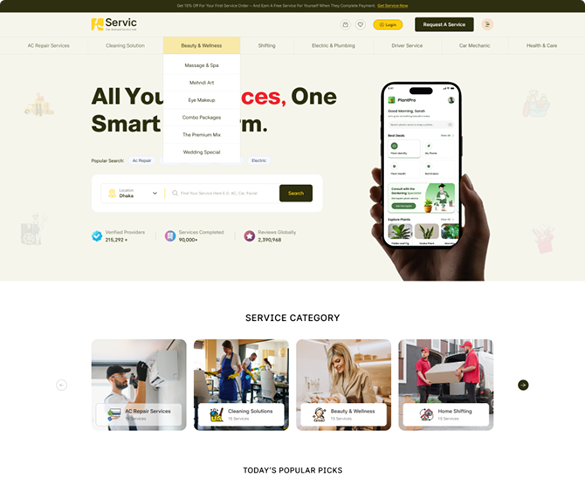
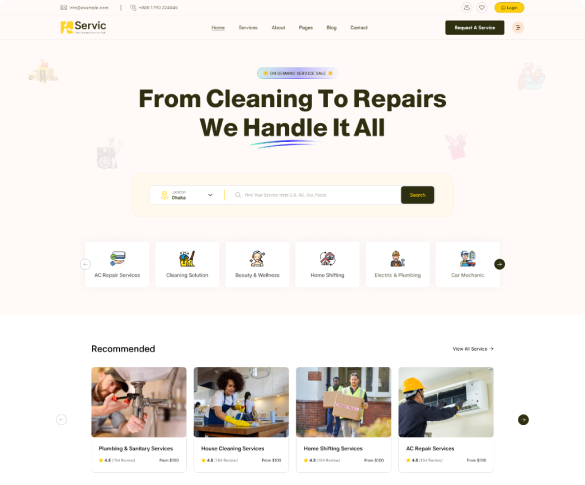
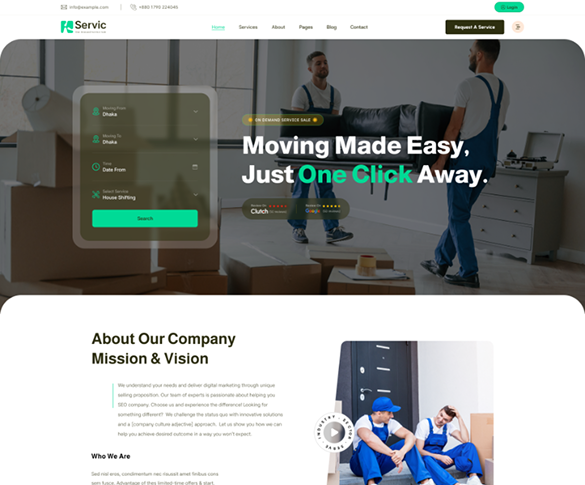


Header




Changing fonts
Servic uses 2 fonts: Prompt & Inter from the Google Fonts Library. You can change the fonts from /css/style.css file in below lines. If you want to use self hosted fonts other than Google fonts then here is an article of self hosted fonts to review. In this case you need to remove below lines and change font names in /css/style.css file as per your fonts used.
@import url("https://fonts.googleapis.com/css2?family=Almarai:wght@300;400;700;800&family=Asta+Sans:[email protected]&display=swap");
jQuery Plugin
Following list of package will be included:
- Swiper js
- Bootstrap5
- Bootstarp 5 icons
- Nice Select
- Counterup js
- Fancybox js
- jQuery
Version 1.0 - Current Version
Version 1.1
Comming Soon
Section Title
<div class="row justify-content-center">
                  <div class="col-md-8 col-xl-6">
                      <div class="section-title">
                          <h2>Featured Causes</h2>
                          <p>There are many variations of passages of Lorem Ipsum available, but the majority have suffered alteration in some form,</p>
                      </div>
                  </div>
                </div>
=
Three Equal columns
<div class="container">
                    <div class="row">
                      <div class="col">
                        Column
                      </div>
                      <div class="col">
                        Column
                      </div>
                      <div class="col">
                        Column
                      </div>
                    </div>
                  </div>
Source & Credits
Images:
- Unsplash - https://unsplash.com/
Icons:
- Icons Font Face - https://icons.getbootstrap.com
- Icons Font Face - https://boxicons.com/
Scripts:
- jQuery - http://www.jquery.com/
- Bootstrap 5 - http://getbootstrap.com/
- swiperjs - https://swiperjs.com/
- Wow js - https://github.com/michalsnik/aos
Support
If this documentation doesn't answer your questions, So, Please send us Email via Item Support Page
We are located in GMT +5:30 time zone and we answer all questions within 12-24 hours in weekdays. In some rare cases the waiting time can be to 48 hours. (except holiday seasons which might take longer).
Don’t forget to Rate this template
Go to your Themeforest Profile > Downloads Tab > & then You can Rate & Review for our template.
Thank You.
More Templates
Checkout Our Below Premium Templates